
Installation
Step 1: Install Vigolium Open Source
- Native Installation (Recommended)
- npm
- Bun
- Homebrew
- Docker
- Build from Source
- Windows
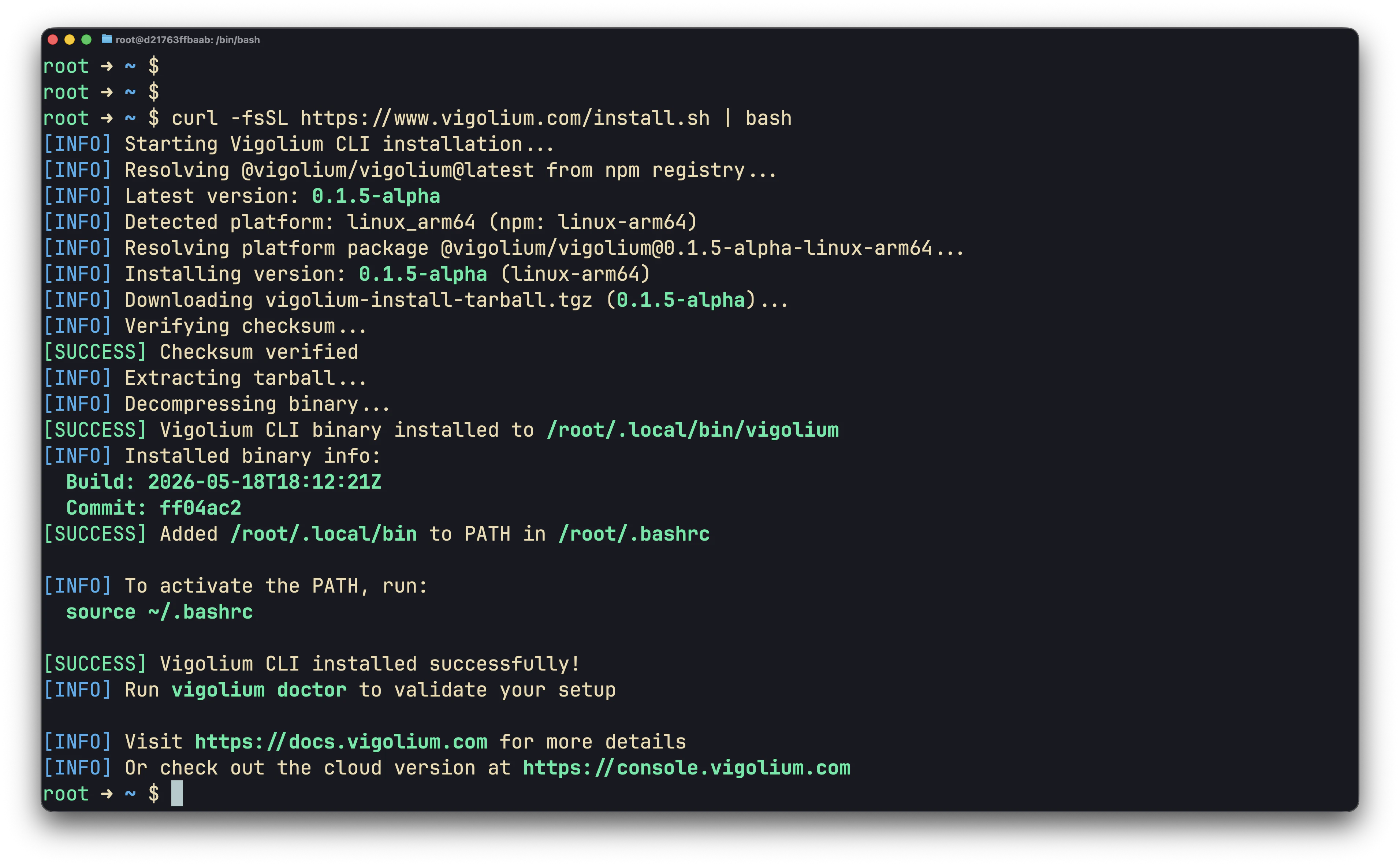
~/.local/bin/vigolium and adds it to your shell profile. The installer verifies the SHA-256 checksum before installing.~/.local/bin was not already on your PATH, activate it without restarting your shell:
Step 2: Validate the installation
doctor reports any missing optional dependencies (a browser for SPA spidering, nuclei templates for the known-issue scan, bun/pi for agent drivers) and confirms your config is valid. Let it auto-install anything missing:
--only accepts any of: nuclei, chrome, bun, claude, agent-browser, pi, piolium.
Everything Vigolium stores lives under
~/.vigolium/ (override with VIGOLIUM_HOME): config at vigolium-configs.yaml, scan DB at database-vgnm.sqlite, agent artifacts under agent-sessions/. Run vigolium init to create the workspace explicitly.Step 3: Run a full scan
vigolium scan runs the full multi-phase pipeline (discovery → spidering → dynamic-assessment) using the balanced strategy by default:
--intensity quick|balanced|deep is a higher-level alias that also tunes the scanning profile. Not sure which mode to use? See Choosing a Scan Mode.
Step 4: One-shot stateless scan
For CI/CD pipelines, scripting, or quick ad-hoc checks where you don’t want anything left behind on disk, add--stateless and export results with -o. Vigolium spins up a temporary SQLite database, runs the requested phases, writes the output, then deletes the database on exit.
--stateless and --db are mutually exclusive. See Native Scan & Stateless Scanning for the full recipe book.
Step 5: Choose what to scan
-I): urls, openapi, swagger, wsdl (soap, svc), postman, curl, burpraw, burpxml, nuclei, har. An unknown -I value is rejected with a clear error (no silent fallback).
Step 6: Pick specific modules (optional)
Step 7: Get results out
By default findings stream to the console. For files or machine-readable output, use--format with -o:
Step 8: Run a single phase
Userun <phase> (an alias for scan --only <phase>) when you only want one stage of the pipeline:
ingestion, discovery, external-harvest, spidering, known-issue-scan, dynamic-assessment, extension.
A note on persistence
vigolium scan writes results to a persistent SQLite database at ~/.vigolium/database-vgnm.sqlite, so you can browse them afterward:
--stateless and export with -o. See Native Scan & Stateless Scanning for the full set of recipes.
Updating & uninstalling
brew upgrade vigolium / npm update -g @vigolium/vigolium / docker pull), not vigolium update.
Releases are signed, and the update verifies the signature (v0.5.3).
vigolium update now updates in process with minisign verification rather than shelling out to an installer script, and the installers fail closed on a missing checksum or signature instead of proceeding. VIGOLIUM_UPDATE_BASE_URL points the whole mechanism at a mirror or an internal release host.VIGOLIUM_AUTO_UPDATE only acts at an interactive terminal as of v0.5.3 — a CI job or an agent harness will not have its binary swapped mid-pipeline.Next steps
- Choosing a Scan Mode, pick the right mode for your job.
- Native Scan & Stateless Scanning, CLI scan recipes.
- Scanning Strategies, strategies, profiles, pace.
- Authenticated Scanning, sessions and login flows.
- Setting Up the Agent, AI-driven autopilot and swarm scans.
- Configuration Reference, full configuration options.