

Vigolium Workbench, scan overview with severity breakdown and finding details
Key Components
Vigolium CLI
The core scanning engine. Handles all scanning logic, module execution, and heavy lifting, from content discovery and browser-based spidering to active fuzzing and agentic AI scanning.
Vigolium Workbench
A self-hosted dashboard for visualizing scan results, managing projects, and tracking findings across your infrastructure. Deploy it on your own servers for full control over your data.
Gimorra
The autonomous offensive-security agent. Pointed at an authorized target with a goal and a scope, it runs recon → scan → propose PoC → deterministically prove → report, with Vigolium as its scan engine.
Scanning Mode
Agentic Scan
Agentic scanning uses AI agents to drive or augment the scanning process. Invoked viavigolium agent <mode>. All AI dispatch is routed through the in-process olium engine, which supports eleven providers: openai-codex-oauth, anthropic-api-key, anthropic-oauth, openai-api-key, openai-responses, anthropic-cli, anthropic-claude-sdk-bridge, anthropic-compatible, anthropic-vertex, google-vertex, and openai-compatible (Ollama / OpenRouter / LM Studio / vLLM).
All scan-oriented modes support
--source for source-aware analysis and store session artifacts (plans, extensions, output) under ~/.vigolium/agent-sessions/. See Setting Up the Agent for provider setup.
Native Scan
Deterministic, multi-phase vulnerability scanning viavigolium scan. Fast, modular, and repeatable, runs content discovery, browser spidering, SPA crawling, and active/passive dynamic-assessment phases with 334 scanner modules (215 active, 119 passive).
Vigolium CLI
The CLI is the heart of Vigolium, powering all scanning operations with two complementary modes:CLI Highlights
- Value-aware mutation: classify parameter values by semantic type and generate intelligent mutations
- Multi-phase pipeline: external harvesting, content discovery, SPA crawling, and audit controlled by strategy presets
- Scanning profiles: bundle strategy, pace, scope, and module config into a single YAML file
- Multiple input formats: URLs, OpenAPI/Swagger, WSDL/SOAP, Postman, Burp Suite, cURL, Nuclei JSONL
- Browser-based spider: Chromium-driven crawler with SPA support, form filling, and JS analysis
- Multi-session authentication: inline sessions, session files, or full auth configs with login flows and token extraction
- JavaScript extensions: custom modules and hooks via embedded JS engine
- Source-aware agentic scan: pair
--sourcewithswarm,autopilot, orauditfor code-context-aware AI scanning and audit - Concurrent architecture: configurable worker pool with per-host rate limiting and hybrid queue
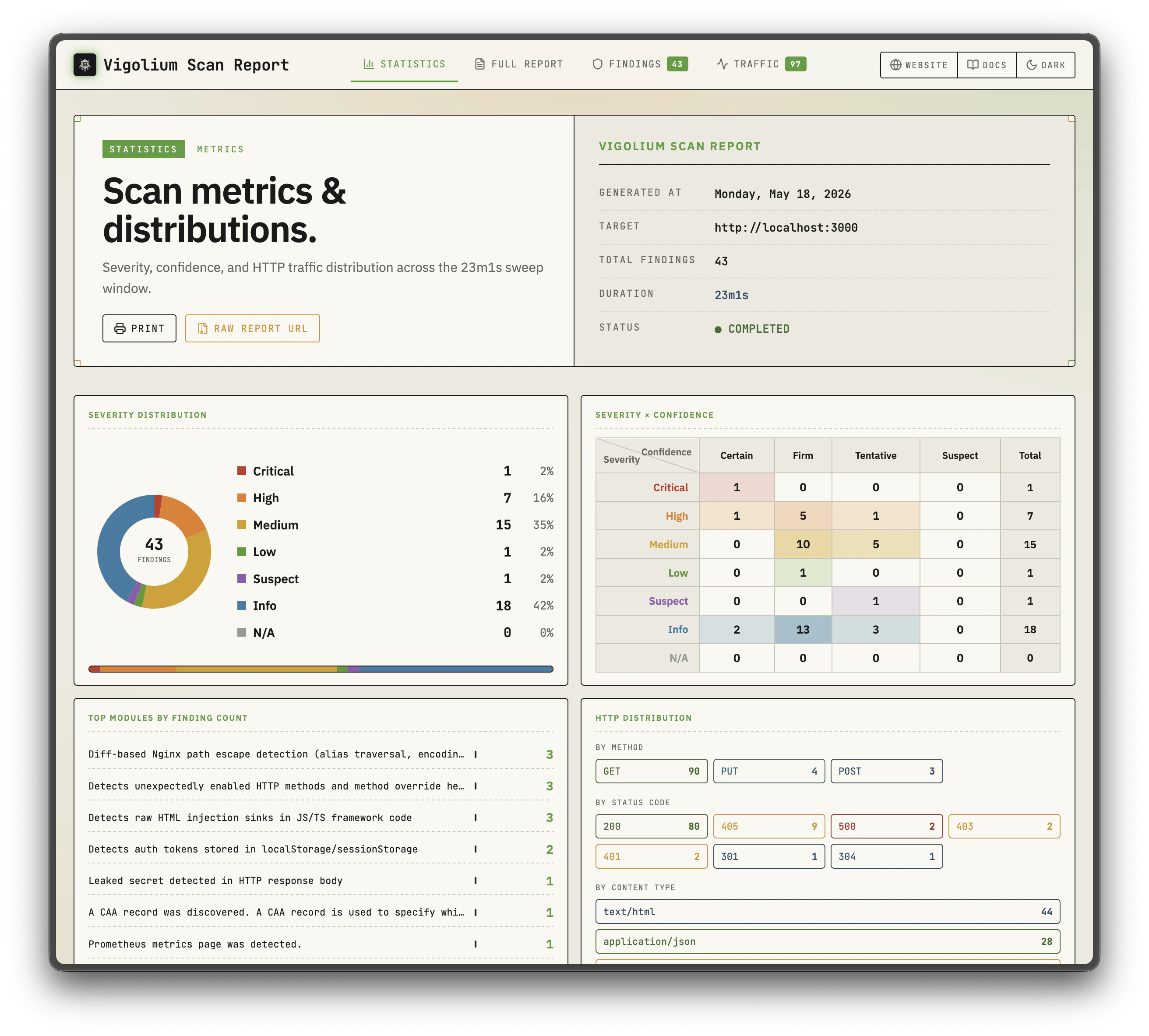
- HTML reports: self-contained HTML reports with sortable/filterable tables
- API server mode: REST API with Swagger UI, multi-format ingestion, transparent HTTP proxy
Vigolium Workbench
A self-hosted web dashboard that provides a visual interface for managing and analyzing your scan data. Deploy Workbench on your own infrastructure to maintain complete control over your vulnerability data while giving your team an intuitive way to:- Browse and filter scan findings with severity breakdown per project
- Track vulnerability trends across repositories and scan history
- Manage multiple projects with multi-tenancy support
- View detailed request/response evidence for each finding

Project overview with scan summary

Findings list with filtering options

Detailed finding view with request/response evidence

Scan history and trend tracking
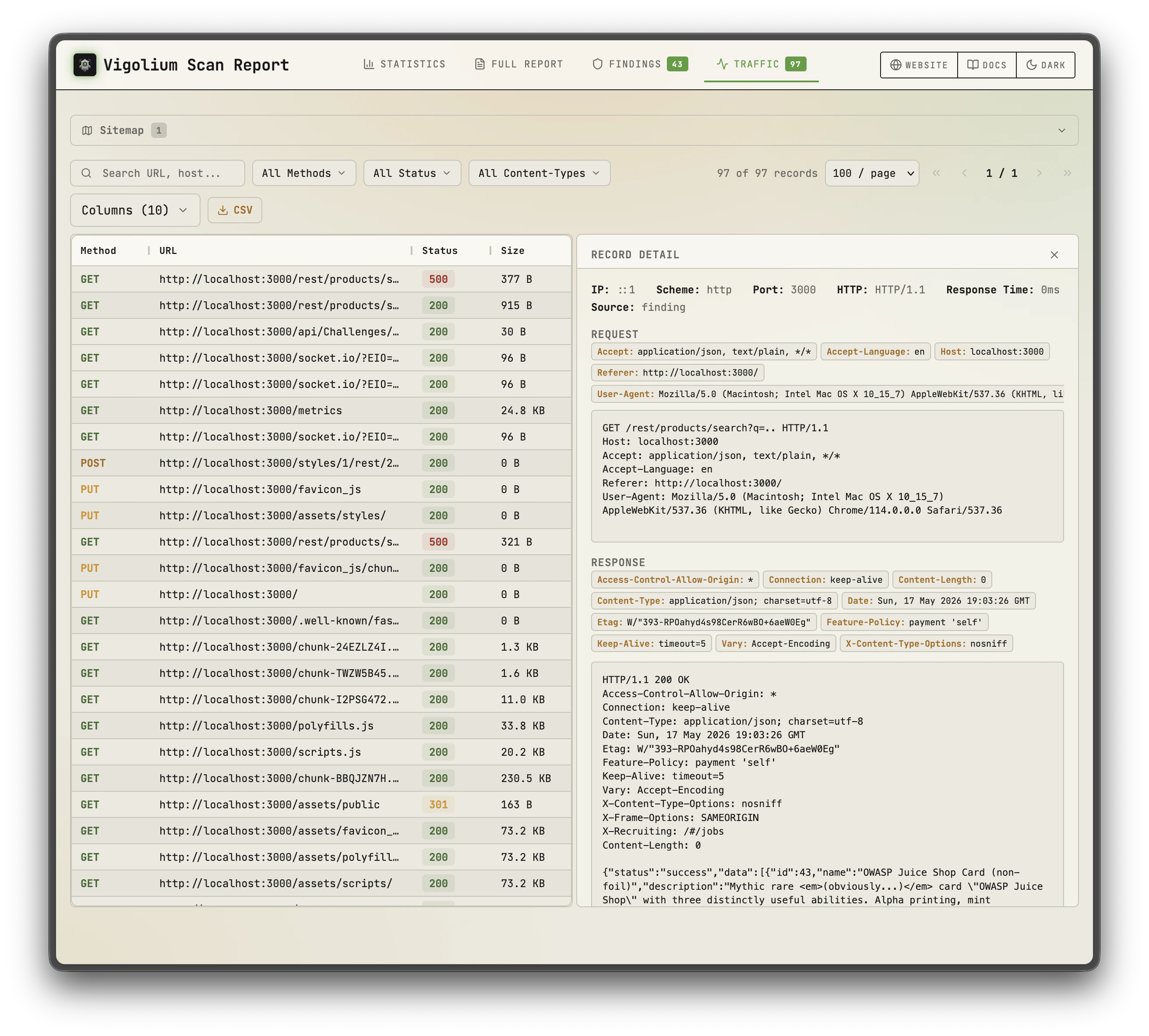
HTML report, summary with severity chart
HTML report, sortable findings table
Gimorra — An Autonomous Offensive-Security Agent
Gimorra is the autonomous offensive-security platform within Vigolium — hunts while you sleep. Wherevigolium agent autopilot drives a scan, Gimorra drives an engagement: give it an authorized target, a goal and a scope, and it runs recon → scan → propose a PoC → deterministically prove it → report on its own.
Vigolium is the scan engine underneath it. Gimorra is the operator above it.

A gimorra scan start to finish: a brief resolves into a plan, recon maps the target, the agent proposes candidates, and the deterministic validator confirms the real ones
Read the full introduction on the Gimorra page, or Request a Demo to see it against your own target.
Where to Go Next
For any inquiries, feel free to contact us at contact@vigolium.com.