> ## Documentation Index
> Fetch the complete documentation index at: https://docs.vigolium.com/llms.txt
> Use this file to discover all available pages before exploring further.
# Setting Up the Agent
> Vigolium's AI features (autopilot, swarm, source-code audit, query) all run through one in-process runtime called olium. This page walks you through wiring each piece up, pick the section that matches your setup.
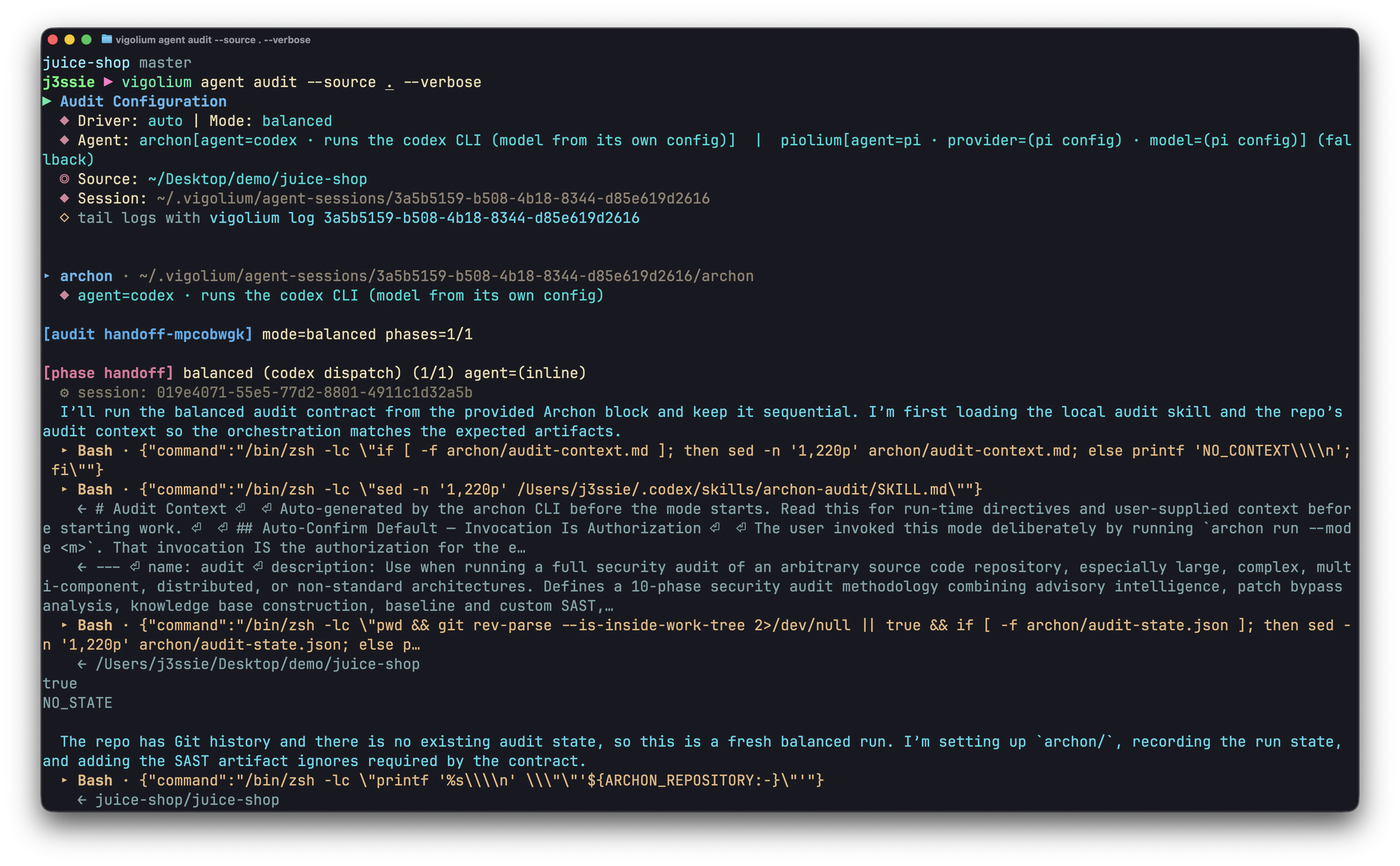
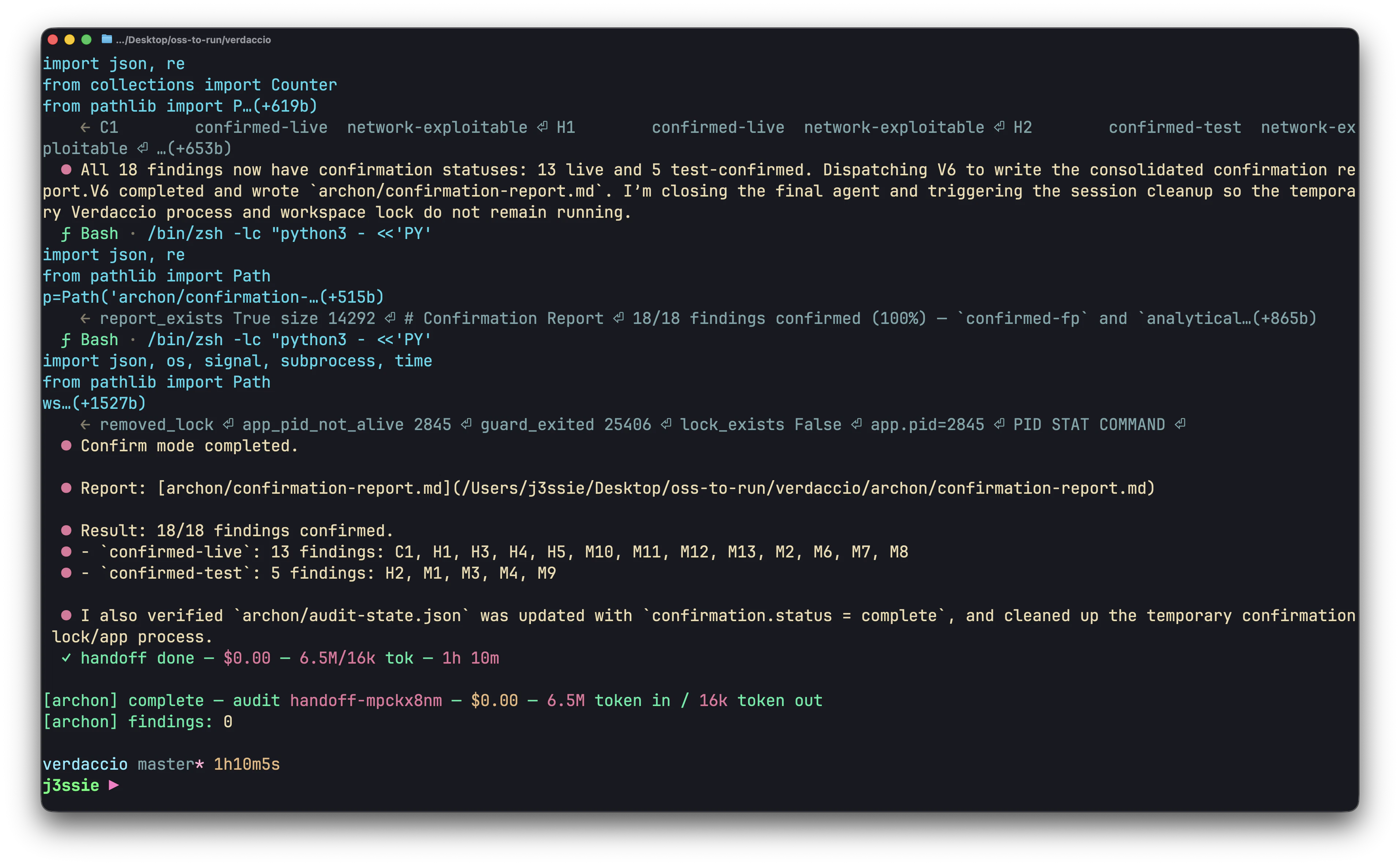 olium talks to a provider (Claude / OpenAI / a local model), and two specialised drivers, **vigolium-audit** and **piolium**, run on top of it for source-code audits.
| What | Section | When you need it |
| -------------------------------- | -------------------------------------------------------------------------- | ------------------------------------------------------------------------------------------------------------------------------------ |
| olium provider | [Olium agent](#1-olium-agent-the-engine-everything-runs-on) | Always, every agent command needs one provider. |
| Codex (OpenAI OAuth) | [Codex](#2-codex-cheapest-with-a-chatgpt-subscription-recommended) | You have a ChatGPT Plus/Pro/Team subscription. |
| Claude | [Claude](#3-claude-anthropic) | You have a Claude Code subscription (Agent SDK bridge — the default — or the `claude` CLI), an OAuth token, or an Anthropic API key. |
| Custom LLM backend / local model | [Custom LLM backend](#4-custom-llm-backend-openaianthropic-compatible-api) | You want a local model (Ollama, LM Studio) or a custom OpenAI- / Anthropic-compatible gateway (OpenRouter, vLLM, LiteLLM, …). |
| Vigolium Audit | [Vigolium audit](#5-vigolium-audit-source-code-driver) | You want a whitebox source-code audit with no extra install. |
| Piolium audit | [Piolium audit](#6-piolium-audit-pi-native-driver) | You want piolium's 17-phase Pi-native audit (separate install). |
All settings live in `~/.vigolium/vigolium-configs.yaml`. You can edit it directly, or use `vigolium config set `.
***
## 1. Olium agent, the engine everything runs on
olium is the in-process agent runtime (`pkg/olium/`) that backs every `vigolium agent …` subcommand. Setting it up means picking one provider and giving it credentials.
The supported providers:
| Provider | Auth | Default model | Notes |
| ------------------------------- | ----------------------------------------- | ------------------------------------------------ | ------------------------------------------------------------------------------------------------------------ |
| `openai-compatible` *(default)* | optional `api_key` | `gemma4:latest` (via `custom_provider.model_id`) | Custom OpenAI-format backend: Ollama, OpenRouter, LM Studio, vLLM, … |
| `anthropic-compatible` | optional `api_key` | via `custom_provider.model_id` | Custom Anthropic Messages-format backend (self-hosted gateway / LiteLLM proxy). |
| `openai-codex-oauth` | `~/.codex/auth.json` (from `codex login`) | `gpt-5.5` | Cheapest with a ChatGPT sub. |
| `anthropic-api-key` | `$ANTHROPIC_API_KEY` | `claude-opus-4-7` | Direct Anthropic API billing. |
| `anthropic-oauth` | `claude setup-token` bearer | `claude-opus-4-7` | Uses your Claude Pro/Max plan. |
| `openai-api-key` | `$OPENAI_API_KEY` | `gpt-5.5` | Direct OpenAI API billing (Chat Completions). |
| `openai-responses` | `$OPENAI_API_KEY` | `gpt-5.5` | Direct OpenAI API billing via the public Responses API (`/v1/responses`). |
| `anthropic-claude-sdk-bridge` | Claude Code subscription (no key) | Claude Code default | Claude via the [Agent SDK](https://github.com/vigolium/vigolium-audit); the recommended default Claude path. |
| `anthropic-cli` | `claude` binary on `$PATH` | `claude-opus-4-7` | Shells out to the Claude Code CLI (alias: `anthropic-claude-cli`). |
| `anthropic-vertex` | GCP service-account JSON | `claude-opus-4-6` | Claude on Vertex AI. |
| `google-vertex` | GCP service-account JSON | `gemini-2.5-pro` | Gemini on Vertex AI. |
Verify any setup with:
```bash theme={null}
vigolium ol -p 'what model are you running'
```
If that returns a model name, the provider is wired correctly. From there, `vigolium agent autopilot`, `vigolium agent swarm`, etc. all work.
***
## 2. Codex, cheapest with a ChatGPT subscription (Recommended)
If you already use OpenAI's **Codex CLI**, vigolium reuses the same OAuth credential file. No API key needed, refresh handled automatically.
```bash theme={null}
# 1. Install Codex CLI (one-time) and log in.
codex login
codex exec 'hello' # sanity check — should print a model name
# 2. Pin vigolium to it (defaults already match; this just makes it explicit).
vigolium config set agent.olium.provider openai-codex-oauth
vigolium config set agent.olium.oauth_cred_path ~/.codex/auth.json
vigolium config set agent.olium.model gpt-5.5
# 3. Verify.
vigolium ol -p 'what model are you running'
```
`~/.codex/auth.json` is read on every run; the JWT is auto-refreshed when it expires, so you don't have to re-login.
***
## 3. Claude (Anthropic)
**Prefer the official Claude Code client.** The recommended way to drive Claude from olium is through Anthropic's own client — the **Agent SDK bridge** (`anthropic-claude-sdk-bridge`, 3a below, the default) or the `claude` CLI shell-out (`anthropic-cli`, 3b). Both ride your existing Claude Code subscription through the sanctioned path. The raw **OAuth token** (3c) and **API key** (3d) options talk to the Messages API directly — a Pro/Max token used that way lands you in rate-limit / overage territory almost immediately, and the API key bills per token at the highest rates of any provider listed here — so reach for them only if you need direct-API billing (see the warnings on each).
Four options, in order of preference. The first two ride the official Claude Code client; the last two hit the Messages API directly.
### 3a. Claude Code Agent SDK (`anthropic-claude-sdk-bridge`)
This is the **recommended default** way to use Claude with vigolium. It drives Claude Code through the **Claude Agent SDK** by shelling out to the `vigolium-audit bridge` sidecar (from [vigolium/vigolium-audit](https://github.com/vigolium/vigolium-audit)) — no API key, it uses your logged-in Claude Code subscription. The run is a controlled, reproducible SDK invocation that always loads the `vigolium-scanner` skill so the agent knows the `vigolium` CLI.
```bash theme={null}
# 1. Be logged into Claude Code once.
claude # complete the interactive login
# 2. Point vigolium at the SDK bridge (the default Claude config).
vigolium config set agent.olium.provider anthropic-claude-sdk-bridge
vigolium config set agent.olium.model opus # optional: opus | sonnet | a full id; omit for the Claude Code default
# 3. Verify.
vigolium ol -p 'what model are you running'
```
The `vigolium-audit` binary that hosts the bridge is **embedded** in vigolium — no separate install. Override it with `vigolium config set agent.olium.bridge_binary /path/to/vigolium-audit` or the per-run `--bridge-bin` flag. When `agent.olium.llm_api_key` / `oauth_token` is set it's forwarded to the bridge; otherwise the ambient subscription is used.
Unlike the `claude` CLI shell-out (3b), the SDK bridge does **not** load your personal `~/.claude` config or a project's `CLAUDE.md` — it's a self-contained, reproducible run that behaves the same on any machine (CI, containers). Pick the CLI shell-out below when you want your full personal Claude Code environment applied to the current directory.
### 3b. Anthropic CLI (`claude` shell-out)
If you'd rather have vigolium delegate to the `claude` binary on `$PATH` (so it uses whatever auth `claude` itself is configured with, plus your personal `CLAUDE.md`, MCP servers, and installed skills):
```bash theme={null}
which claude # must resolve
vigolium config set agent.olium.provider anthropic-cli # alias: anthropic-claude-cli
vigolium config set agent.olium.model claude-opus-4-7
```
This mode spawns a fresh `claude -p` subprocess per turn (slower than the SDK bridge above), but it's the way to apply your full personal Claude Code environment to the current directory.
**Note on permissions.** vigolium invokes `claude -p` with `--permission-mode bypassPermissions` so Bash / Read / WebFetch tool calls execute without interactive approval (the wrapper is non-interactive, there's no TTY for you to confirm prompts on). This is equivalent to running `claude --dangerously-skip-permissions` and applies for the duration of the subprocess only.
### 3c. Claude OAuth (Claude Pro/Max subscribers)
`claude setup-token` mints an OAuth bearer token tied to your Claude subscription. No per-token billing.
```bash theme={null}
# 1. Install Claude Code, then mint a token.
claude setup-token # prints sk-ant-oat01-…
export ANTHROPIC_API_KEY=sk-ant-oat01- # shell rc; survives reboots
# 2. Point vigolium at the OAuth provider.
vigolium config set agent.olium.provider anthropic-oauth
vigolium config set agent.olium.model claude-opus-4-7
# 3. Verify.
vigolium ol -p 'what model are you running'
```
`anthropic-oauth` reads `agent.olium.oauth_token` first, then falls back to `$ANTHROPIC_API_KEY`. The env var is the path of least resistance.
**Heads-up, enable extra usage on your Claude account.** Pro/Max subscriptions ship with the OAuth token capped to the in-app Claude Code allowance. Driving the same token from vigolium (or any third-party client) hits the Messages API directly and is rejected with `429 rate_limit_error` until you turn on **extra usage / pay-as-you-go overage** in the Anthropic Console (Settings → Billing → Usage limits). Without that toggle the verify call above will fail even with a valid token.
### 3d. Anthropic API key
For users billing through the standard Anthropic API.
```bash theme={null}
export ANTHROPIC_API_KEY=sk-ant-api03-
vigolium config set agent.olium.provider anthropic-api-key
vigolium config set agent.olium.model claude-opus-4-7
vigolium ol -p 'what model are you running'
```
***
## 4. Custom LLM Backend (OpenAI/Anthropic Compatible API)
vigolium can drive **any custom LLM backend** — a cloud gateway or a **local LLM API** — through two provider drivers that share the same `agent.olium.custom_provider` config block, differing only in the wire format they speak:
* **`openai-compatible`** — endpoints that speak the **OpenAI Chat Completions** format: Ollama, LM Studio, vLLM, OpenRouter, Together, Groq, LocalAI, or any custom proxy.
* **`anthropic-compatible`** — endpoints that speak the **Anthropic Messages** (`/v1/messages`) format: a self-hosted gateway or LiteLLM-style proxy fronting Claude (or other) models.
Both read `custom_provider.base_url` (required), `custom_provider.model_id`, an optional `custom_provider.api_key` (empty = no auth header, for local servers), and `custom_provider.extra_headers`. Pick whichever matches your backend's wire format — everything below applies to both.
### Ollama (local, no key)
```bash theme={null}
ollama pull gemma4:latest
ollama serve # if not already running
vigolium config set agent.olium.provider openai-compatible
vigolium config set agent.olium.custom_provider.base_url http://localhost:11434/v1
vigolium config set agent.olium.custom_provider.model_id gemma4:latest
vigolium ol -p 'what model are you running'
```
Empty `api_key` means no `Authorization` header is sent, required for Ollama.
### OpenRouter
```bash theme={null}
export OPENROUTER_API_KEY=sk-or-…
vigolium config set agent.olium.provider openai-compatible
vigolium config set agent.olium.custom_provider.base_url https://openrouter.ai/api/v1
vigolium config set agent.olium.custom_provider.model_id anthropic/claude-3.5-sonnet
vigolium config set agent.olium.custom_provider.api_key '${OPENROUTER_API_KEY}'
# Optional: OpenRouter ranking signal (shows your app on the leaderboard).
vigolium config set agent.olium.custom_provider.extra_headers.add 'HTTP-Referer: https://your-site.example'
vigolium config set agent.olium.custom_provider.extra_headers.add 'X-Title: vigolium'
```
### LM Studio
```bash theme={null}
vigolium config set agent.olium.provider openai-compatible
vigolium config set agent.olium.custom_provider.base_url http://localhost:1234/v1
vigolium config set agent.olium.custom_provider.model_id
```
### Anthropic-compatible gateway
If your backend speaks the Anthropic **Messages API** (`/v1/messages`) rather than OpenAI Chat Completions — a self-hosted gateway or a LiteLLM-style proxy fronting Claude — switch the provider to `anthropic-compatible`. The `custom_provider` block is identical:
```bash theme={null}
vigolium config set agent.olium.provider anthropic-compatible
vigolium config set agent.olium.custom_provider.base_url https://my-gateway.example.com/v1
vigolium config set agent.olium.custom_provider.model_id claude-3-5-sonnet
vigolium config set agent.olium.custom_provider.api_key '${MY_GATEWAY_KEY}' # optional; empty = no x-api-key header
vigolium ol -p 'what model are you running'
```
`base_url` accepts a full `/v1/messages` URL, a `/v1` root (`/messages` is appended), or a bare host (`/v1/messages` is appended). Use `extra_headers` to switch to a `Bearer` scheme or pin a specific `anthropic-version` — entries are applied after the standard headers.
### Custom headers (auth, routing, observability)
Some OpenAI- and Anthropic-compatible backends need extra headers, non-`Bearer` auth schemes, tenant/routing signals, request tagging for cost analytics, etc. `extra_headers` takes a list of curl-style `"Key: Value"` entries that are applied **after** the standard headers, so they can override `Authorization` (or `x-api-key`) when needed.
```bash theme={null}
# Clear, then add. Each .add appends one header to the list.
vigolium config set agent.olium.custom_provider.extra_headers.clear ""
vigolium config set agent.olium.custom_provider.extra_headers.add 'X-Custom-ID: your-cli'
vigolium config set agent.olium.custom_provider.extra_headers.add 'Authorization: Bearer custom-api-token'
```
Or edit `~/.vigolium/vigolium-configs.yaml` directly:
```yaml theme={null}
agent:
olium:
custom_provider:
extra_headers:
- "X-Custom-ID: your-cli"
- "Authorization: Bearer custom-api-token" # overrides the default Bearer api_key
```
Notes:
* `${VAR}` references are expanded from the environment when the config is loaded, so credentials don't need to be checked into the file.
* On duplicate keys the **last** entry wins (matches `http.Header.Set` semantics).
* Malformed entries (no `:`) are logged at warn level and skipped, the agent keeps running.
* To replace the whole list, run `.clear ""` first, then `.add` each entry.
You can also pass these as one-shot overrides without touching the config:
```bash theme={null}
vigolium ol \
--provider openai-compatible \
--base-url http://localhost:11434/v1 \
--model gemma4:latest \
-p 'hello'
```
`extra_headers` has no CLI flag, set it once in YAML (or via `config set ... .add`) and it sticks across runs.
**Tool-calling caveat.** OpenAI-style function tools are part of the wire format but only some models actually emit them. `gemma4`, `qwen2.5-coder`, `llama3.1-instruct`, and `mistral-nemo` work well. Smaller models often ignore tool definitions and reply in prose, if the agent never calls tools, switch model.
***
## 5. Vigolium audit, source-code driver
`vigolium agent audit` runs a whitebox source-code audit. The harness (agents, commands, skills) ships **embedded in the vigolium binary**, no extra install. It drives the `claude` or `codex` CLI under the hood (resolved from `agent.olium.provider`), so you need a working Claude *or* Codex setup from [section 2](#2-codex-cheapest-with-a-chatgpt-subscription-recommended) or [section 3](#3-claude-anthropic).
```bash theme={null}
# 1. Make sure `claude` (or `codex`) is installed and authenticated.
claude --version
claude -p 'hello' # sanity check
# 2. Run an audit.
vigolium agent audit --source ~/src/your-app
# 3. Or wire it into autopilot/swarm so it runs automatically when --source is set.
vigolium config set agent.audit.enable true
vigolium config set agent.audit.mode lite # lite | balanced | deep
vigolium agent autopilot -t https://example.com --source ~/src/your-app
```
Audit modes: `lite` (3 phases, CI-friendly), `balanced` (9 phases, default for `--audit=balanced`), `deep` (12 phases, full audit). All produce findings under the same parser/schema as native scanner output and are ingested into the vigolium DB.
Findings land under `~/.vigolium/agent-sessions//vigolium-results/`. See [Agentic Security Audit](/getting-started/agentic-security-audit) for the full reference.
***
## 6. Piolium audit, Pi-native driver
`vigolium agent audit --driver=piolium` runs a separate, more thorough audit (17 phases at `deep`) via the **Pi coding-agent runtime**. Unlike vigolium-audit, piolium is **not** embedded, you install it once and vigolium drives the `pi` binary.
```bash theme={null}
# 1. Install Pi runtime.
bun install -g @earendil-works/pi-coding-agent
pi --version
# 2. Install the piolium extension.
pi install git:git@github.com:vigolium/piolium.git
pi list # verify "piolium" appears
# 3. Configure pi's default provider (the audit subprocess uses pi's own auth,
# not vigolium's). Example with Anthropic:
pi login # or: pi /login
# 4. Run an audit.
vigolium agent audit --driver=piolium --source ~/src/your-app # balanced (default)
vigolium agent audit --driver=piolium --source ~/src/your-app --mode lite # quick triage
vigolium agent audit --driver=piolium --source ~/src/your-app --intensity deep # full 17-phase
# 5. Override pi's provider/model just for this run if you want.
vigolium agent audit --driver=piolium --source ~/src/your-app \
--pi-provider vertex-anthropic --pi-model claude-opus-4-6
```
Vigolium runs a one-turn preflight against pi before the audit to catch auth/quota errors early. If preflight fails you'll see the upstream error (e.g. `No API key found for google-vertex. Use /login to log into a provider`) and the audit won't start.
By default vigolium uses pi's per-user install at `~/.pi/agent`. To use a system-wide install instead, export `PIOLIUM_HOME=/opt/piolium` (or any other path). See [Agentic Security Audit](/getting-started/agentic-security-audit) for modes, intensity presets, and the full flag reference.
### vigolium-audit vs piolium
| | Vigolium Audit | Piolium |
| -------- | --------------------------------------------------------------------------------------------------- | --------------------------------------------------------------------------------- |
| Install | Embedded, zero setup | Requires `pi` + `pi install …` |
| Driver | `claude` or `codex` CLI | `pi --mode json -p /piolium-` |
| Modes | lite (3), balanced (9), deep (12), revisit, confirm, merge, diff, longshot, reinvest, refresh, mock | lite (4), balanced (9), deep (17), revisit, confirm, merge, diff, longshot, smoke |
| Provider | Whatever `claude` / `codex` is configured with | Whatever `pi` is configured with (separate from olium) |
| Best for | "I want a source audit, no extra setup" | "I want the most thorough audit available" |
You can also run both side-by-side with `vigolium agent audit --driver both --source …`, that dispatches vigolium-audit then piolium under a single parent scan with project-wide deduplication.
***
## 7. Verifying the full stack
After whichever sections you set up, run these in order. Each one fails fast with a useful error if a piece is missing:
```bash theme={null}
# Olium: one prompt, one provider call. No DB, no scan.
vigolium ol -p 'hello'
# Agent query: same path the engine takes for source-code review.
vigolium agent query -p 'list every route in this repo' --source .
# Autopilot smoke test (target-only, no source):
vigolium agent autopilot -t https://example.com --intensity quick --max-duration 5m
# Vigolium audit (requires claude or codex installed):
vigolium agent audit --source . --mode lite
# Piolium audit (requires pi + piolium installed):
vigolium agent audit --driver=piolium --source . --mode lite
```
If any of these errors out, the message points at the missing piece, usually an unset env var, a wrong `agent.olium.provider`, or a missing binary.
***
## Where to go next
* [Olium Agent](/agentic-scan/olium), what olium is and what its tools do.
* [Autopilot](/agentic-scan/autopilot), autonomous scanning.
* [Swarm](/agentic-scan/swarm), guided multi-phase scanning.
* [Agentic Security Audit](/getting-started/agentic-security-audit), vigolium-audit + piolium reference.
* [Configuration Reference](/getting-started/configuration), every config knob with inline docs.
olium talks to a provider (Claude / OpenAI / a local model), and two specialised drivers, **vigolium-audit** and **piolium**, run on top of it for source-code audits.
| What | Section | When you need it |
| -------------------------------- | -------------------------------------------------------------------------- | ------------------------------------------------------------------------------------------------------------------------------------ |
| olium provider | [Olium agent](#1-olium-agent-the-engine-everything-runs-on) | Always, every agent command needs one provider. |
| Codex (OpenAI OAuth) | [Codex](#2-codex-cheapest-with-a-chatgpt-subscription-recommended) | You have a ChatGPT Plus/Pro/Team subscription. |
| Claude | [Claude](#3-claude-anthropic) | You have a Claude Code subscription (Agent SDK bridge — the default — or the `claude` CLI), an OAuth token, or an Anthropic API key. |
| Custom LLM backend / local model | [Custom LLM backend](#4-custom-llm-backend-openaianthropic-compatible-api) | You want a local model (Ollama, LM Studio) or a custom OpenAI- / Anthropic-compatible gateway (OpenRouter, vLLM, LiteLLM, …). |
| Vigolium Audit | [Vigolium audit](#5-vigolium-audit-source-code-driver) | You want a whitebox source-code audit with no extra install. |
| Piolium audit | [Piolium audit](#6-piolium-audit-pi-native-driver) | You want piolium's 17-phase Pi-native audit (separate install). |
All settings live in `~/.vigolium/vigolium-configs.yaml`. You can edit it directly, or use `vigolium config set `.
***
## 1. Olium agent, the engine everything runs on
olium is the in-process agent runtime (`pkg/olium/`) that backs every `vigolium agent …` subcommand. Setting it up means picking one provider and giving it credentials.
The supported providers:
| Provider | Auth | Default model | Notes |
| ------------------------------- | ----------------------------------------- | ------------------------------------------------ | ------------------------------------------------------------------------------------------------------------ |
| `openai-compatible` *(default)* | optional `api_key` | `gemma4:latest` (via `custom_provider.model_id`) | Custom OpenAI-format backend: Ollama, OpenRouter, LM Studio, vLLM, … |
| `anthropic-compatible` | optional `api_key` | via `custom_provider.model_id` | Custom Anthropic Messages-format backend (self-hosted gateway / LiteLLM proxy). |
| `openai-codex-oauth` | `~/.codex/auth.json` (from `codex login`) | `gpt-5.5` | Cheapest with a ChatGPT sub. |
| `anthropic-api-key` | `$ANTHROPIC_API_KEY` | `claude-opus-4-7` | Direct Anthropic API billing. |
| `anthropic-oauth` | `claude setup-token` bearer | `claude-opus-4-7` | Uses your Claude Pro/Max plan. |
| `openai-api-key` | `$OPENAI_API_KEY` | `gpt-5.5` | Direct OpenAI API billing (Chat Completions). |
| `openai-responses` | `$OPENAI_API_KEY` | `gpt-5.5` | Direct OpenAI API billing via the public Responses API (`/v1/responses`). |
| `anthropic-claude-sdk-bridge` | Claude Code subscription (no key) | Claude Code default | Claude via the [Agent SDK](https://github.com/vigolium/vigolium-audit); the recommended default Claude path. |
| `anthropic-cli` | `claude` binary on `$PATH` | `claude-opus-4-7` | Shells out to the Claude Code CLI (alias: `anthropic-claude-cli`). |
| `anthropic-vertex` | GCP service-account JSON | `claude-opus-4-6` | Claude on Vertex AI. |
| `google-vertex` | GCP service-account JSON | `gemini-2.5-pro` | Gemini on Vertex AI. |
Verify any setup with:
```bash theme={null}
vigolium ol -p 'what model are you running'
```
If that returns a model name, the provider is wired correctly. From there, `vigolium agent autopilot`, `vigolium agent swarm`, etc. all work.
***
## 2. Codex, cheapest with a ChatGPT subscription (Recommended)
If you already use OpenAI's **Codex CLI**, vigolium reuses the same OAuth credential file. No API key needed, refresh handled automatically.
```bash theme={null}
# 1. Install Codex CLI (one-time) and log in.
codex login
codex exec 'hello' # sanity check — should print a model name
# 2. Pin vigolium to it (defaults already match; this just makes it explicit).
vigolium config set agent.olium.provider openai-codex-oauth
vigolium config set agent.olium.oauth_cred_path ~/.codex/auth.json
vigolium config set agent.olium.model gpt-5.5
# 3. Verify.
vigolium ol -p 'what model are you running'
```
`~/.codex/auth.json` is read on every run; the JWT is auto-refreshed when it expires, so you don't have to re-login.
***
## 3. Claude (Anthropic)
**Prefer the official Claude Code client.** The recommended way to drive Claude from olium is through Anthropic's own client — the **Agent SDK bridge** (`anthropic-claude-sdk-bridge`, 3a below, the default) or the `claude` CLI shell-out (`anthropic-cli`, 3b). Both ride your existing Claude Code subscription through the sanctioned path. The raw **OAuth token** (3c) and **API key** (3d) options talk to the Messages API directly — a Pro/Max token used that way lands you in rate-limit / overage territory almost immediately, and the API key bills per token at the highest rates of any provider listed here — so reach for them only if you need direct-API billing (see the warnings on each).
Four options, in order of preference. The first two ride the official Claude Code client; the last two hit the Messages API directly.
### 3a. Claude Code Agent SDK (`anthropic-claude-sdk-bridge`)
This is the **recommended default** way to use Claude with vigolium. It drives Claude Code through the **Claude Agent SDK** by shelling out to the `vigolium-audit bridge` sidecar (from [vigolium/vigolium-audit](https://github.com/vigolium/vigolium-audit)) — no API key, it uses your logged-in Claude Code subscription. The run is a controlled, reproducible SDK invocation that always loads the `vigolium-scanner` skill so the agent knows the `vigolium` CLI.
```bash theme={null}
# 1. Be logged into Claude Code once.
claude # complete the interactive login
# 2. Point vigolium at the SDK bridge (the default Claude config).
vigolium config set agent.olium.provider anthropic-claude-sdk-bridge
vigolium config set agent.olium.model opus # optional: opus | sonnet | a full id; omit for the Claude Code default
# 3. Verify.
vigolium ol -p 'what model are you running'
```
The `vigolium-audit` binary that hosts the bridge is **embedded** in vigolium — no separate install. Override it with `vigolium config set agent.olium.bridge_binary /path/to/vigolium-audit` or the per-run `--bridge-bin` flag. When `agent.olium.llm_api_key` / `oauth_token` is set it's forwarded to the bridge; otherwise the ambient subscription is used.
Unlike the `claude` CLI shell-out (3b), the SDK bridge does **not** load your personal `~/.claude` config or a project's `CLAUDE.md` — it's a self-contained, reproducible run that behaves the same on any machine (CI, containers). Pick the CLI shell-out below when you want your full personal Claude Code environment applied to the current directory.
### 3b. Anthropic CLI (`claude` shell-out)
If you'd rather have vigolium delegate to the `claude` binary on `$PATH` (so it uses whatever auth `claude` itself is configured with, plus your personal `CLAUDE.md`, MCP servers, and installed skills):
```bash theme={null}
which claude # must resolve
vigolium config set agent.olium.provider anthropic-cli # alias: anthropic-claude-cli
vigolium config set agent.olium.model claude-opus-4-7
```
This mode spawns a fresh `claude -p` subprocess per turn (slower than the SDK bridge above), but it's the way to apply your full personal Claude Code environment to the current directory.
**Note on permissions.** vigolium invokes `claude -p` with `--permission-mode bypassPermissions` so Bash / Read / WebFetch tool calls execute without interactive approval (the wrapper is non-interactive, there's no TTY for you to confirm prompts on). This is equivalent to running `claude --dangerously-skip-permissions` and applies for the duration of the subprocess only.
### 3c. Claude OAuth (Claude Pro/Max subscribers)
`claude setup-token` mints an OAuth bearer token tied to your Claude subscription. No per-token billing.
```bash theme={null}
# 1. Install Claude Code, then mint a token.
claude setup-token # prints sk-ant-oat01-…
export ANTHROPIC_API_KEY=sk-ant-oat01- # shell rc; survives reboots
# 2. Point vigolium at the OAuth provider.
vigolium config set agent.olium.provider anthropic-oauth
vigolium config set agent.olium.model claude-opus-4-7
# 3. Verify.
vigolium ol -p 'what model are you running'
```
`anthropic-oauth` reads `agent.olium.oauth_token` first, then falls back to `$ANTHROPIC_API_KEY`. The env var is the path of least resistance.
**Heads-up, enable extra usage on your Claude account.** Pro/Max subscriptions ship with the OAuth token capped to the in-app Claude Code allowance. Driving the same token from vigolium (or any third-party client) hits the Messages API directly and is rejected with `429 rate_limit_error` until you turn on **extra usage / pay-as-you-go overage** in the Anthropic Console (Settings → Billing → Usage limits). Without that toggle the verify call above will fail even with a valid token.
### 3d. Anthropic API key
For users billing through the standard Anthropic API.
```bash theme={null}
export ANTHROPIC_API_KEY=sk-ant-api03-
vigolium config set agent.olium.provider anthropic-api-key
vigolium config set agent.olium.model claude-opus-4-7
vigolium ol -p 'what model are you running'
```
***
## 4. Custom LLM Backend (OpenAI/Anthropic Compatible API)
vigolium can drive **any custom LLM backend** — a cloud gateway or a **local LLM API** — through two provider drivers that share the same `agent.olium.custom_provider` config block, differing only in the wire format they speak:
* **`openai-compatible`** — endpoints that speak the **OpenAI Chat Completions** format: Ollama, LM Studio, vLLM, OpenRouter, Together, Groq, LocalAI, or any custom proxy.
* **`anthropic-compatible`** — endpoints that speak the **Anthropic Messages** (`/v1/messages`) format: a self-hosted gateway or LiteLLM-style proxy fronting Claude (or other) models.
Both read `custom_provider.base_url` (required), `custom_provider.model_id`, an optional `custom_provider.api_key` (empty = no auth header, for local servers), and `custom_provider.extra_headers`. Pick whichever matches your backend's wire format — everything below applies to both.
### Ollama (local, no key)
```bash theme={null}
ollama pull gemma4:latest
ollama serve # if not already running
vigolium config set agent.olium.provider openai-compatible
vigolium config set agent.olium.custom_provider.base_url http://localhost:11434/v1
vigolium config set agent.olium.custom_provider.model_id gemma4:latest
vigolium ol -p 'what model are you running'
```
Empty `api_key` means no `Authorization` header is sent, required for Ollama.
### OpenRouter
```bash theme={null}
export OPENROUTER_API_KEY=sk-or-…
vigolium config set agent.olium.provider openai-compatible
vigolium config set agent.olium.custom_provider.base_url https://openrouter.ai/api/v1
vigolium config set agent.olium.custom_provider.model_id anthropic/claude-3.5-sonnet
vigolium config set agent.olium.custom_provider.api_key '${OPENROUTER_API_KEY}'
# Optional: OpenRouter ranking signal (shows your app on the leaderboard).
vigolium config set agent.olium.custom_provider.extra_headers.add 'HTTP-Referer: https://your-site.example'
vigolium config set agent.olium.custom_provider.extra_headers.add 'X-Title: vigolium'
```
### LM Studio
```bash theme={null}
vigolium config set agent.olium.provider openai-compatible
vigolium config set agent.olium.custom_provider.base_url http://localhost:1234/v1
vigolium config set agent.olium.custom_provider.model_id
```
### Anthropic-compatible gateway
If your backend speaks the Anthropic **Messages API** (`/v1/messages`) rather than OpenAI Chat Completions — a self-hosted gateway or a LiteLLM-style proxy fronting Claude — switch the provider to `anthropic-compatible`. The `custom_provider` block is identical:
```bash theme={null}
vigolium config set agent.olium.provider anthropic-compatible
vigolium config set agent.olium.custom_provider.base_url https://my-gateway.example.com/v1
vigolium config set agent.olium.custom_provider.model_id claude-3-5-sonnet
vigolium config set agent.olium.custom_provider.api_key '${MY_GATEWAY_KEY}' # optional; empty = no x-api-key header
vigolium ol -p 'what model are you running'
```
`base_url` accepts a full `/v1/messages` URL, a `/v1` root (`/messages` is appended), or a bare host (`/v1/messages` is appended). Use `extra_headers` to switch to a `Bearer` scheme or pin a specific `anthropic-version` — entries are applied after the standard headers.
### Custom headers (auth, routing, observability)
Some OpenAI- and Anthropic-compatible backends need extra headers, non-`Bearer` auth schemes, tenant/routing signals, request tagging for cost analytics, etc. `extra_headers` takes a list of curl-style `"Key: Value"` entries that are applied **after** the standard headers, so they can override `Authorization` (or `x-api-key`) when needed.
```bash theme={null}
# Clear, then add. Each .add appends one header to the list.
vigolium config set agent.olium.custom_provider.extra_headers.clear ""
vigolium config set agent.olium.custom_provider.extra_headers.add 'X-Custom-ID: your-cli'
vigolium config set agent.olium.custom_provider.extra_headers.add 'Authorization: Bearer custom-api-token'
```
Or edit `~/.vigolium/vigolium-configs.yaml` directly:
```yaml theme={null}
agent:
olium:
custom_provider:
extra_headers:
- "X-Custom-ID: your-cli"
- "Authorization: Bearer custom-api-token" # overrides the default Bearer api_key
```
Notes:
* `${VAR}` references are expanded from the environment when the config is loaded, so credentials don't need to be checked into the file.
* On duplicate keys the **last** entry wins (matches `http.Header.Set` semantics).
* Malformed entries (no `:`) are logged at warn level and skipped, the agent keeps running.
* To replace the whole list, run `.clear ""` first, then `.add` each entry.
You can also pass these as one-shot overrides without touching the config:
```bash theme={null}
vigolium ol \
--provider openai-compatible \
--base-url http://localhost:11434/v1 \
--model gemma4:latest \
-p 'hello'
```
`extra_headers` has no CLI flag, set it once in YAML (or via `config set ... .add`) and it sticks across runs.
**Tool-calling caveat.** OpenAI-style function tools are part of the wire format but only some models actually emit them. `gemma4`, `qwen2.5-coder`, `llama3.1-instruct`, and `mistral-nemo` work well. Smaller models often ignore tool definitions and reply in prose, if the agent never calls tools, switch model.
***
## 5. Vigolium audit, source-code driver
`vigolium agent audit` runs a whitebox source-code audit. The harness (agents, commands, skills) ships **embedded in the vigolium binary**, no extra install. It drives the `claude` or `codex` CLI under the hood (resolved from `agent.olium.provider`), so you need a working Claude *or* Codex setup from [section 2](#2-codex-cheapest-with-a-chatgpt-subscription-recommended) or [section 3](#3-claude-anthropic).
```bash theme={null}
# 1. Make sure `claude` (or `codex`) is installed and authenticated.
claude --version
claude -p 'hello' # sanity check
# 2. Run an audit.
vigolium agent audit --source ~/src/your-app
# 3. Or wire it into autopilot/swarm so it runs automatically when --source is set.
vigolium config set agent.audit.enable true
vigolium config set agent.audit.mode lite # lite | balanced | deep
vigolium agent autopilot -t https://example.com --source ~/src/your-app
```
Audit modes: `lite` (3 phases, CI-friendly), `balanced` (9 phases, default for `--audit=balanced`), `deep` (12 phases, full audit). All produce findings under the same parser/schema as native scanner output and are ingested into the vigolium DB.
Findings land under `~/.vigolium/agent-sessions//vigolium-results/`. See [Agentic Security Audit](/getting-started/agentic-security-audit) for the full reference.
***
## 6. Piolium audit, Pi-native driver
`vigolium agent audit --driver=piolium` runs a separate, more thorough audit (17 phases at `deep`) via the **Pi coding-agent runtime**. Unlike vigolium-audit, piolium is **not** embedded, you install it once and vigolium drives the `pi` binary.
```bash theme={null}
# 1. Install Pi runtime.
bun install -g @earendil-works/pi-coding-agent
pi --version
# 2. Install the piolium extension.
pi install git:git@github.com:vigolium/piolium.git
pi list # verify "piolium" appears
# 3. Configure pi's default provider (the audit subprocess uses pi's own auth,
# not vigolium's). Example with Anthropic:
pi login # or: pi /login
# 4. Run an audit.
vigolium agent audit --driver=piolium --source ~/src/your-app # balanced (default)
vigolium agent audit --driver=piolium --source ~/src/your-app --mode lite # quick triage
vigolium agent audit --driver=piolium --source ~/src/your-app --intensity deep # full 17-phase
# 5. Override pi's provider/model just for this run if you want.
vigolium agent audit --driver=piolium --source ~/src/your-app \
--pi-provider vertex-anthropic --pi-model claude-opus-4-6
```
Vigolium runs a one-turn preflight against pi before the audit to catch auth/quota errors early. If preflight fails you'll see the upstream error (e.g. `No API key found for google-vertex. Use /login to log into a provider`) and the audit won't start.
By default vigolium uses pi's per-user install at `~/.pi/agent`. To use a system-wide install instead, export `PIOLIUM_HOME=/opt/piolium` (or any other path). See [Agentic Security Audit](/getting-started/agentic-security-audit) for modes, intensity presets, and the full flag reference.
### vigolium-audit vs piolium
| | Vigolium Audit | Piolium |
| -------- | --------------------------------------------------------------------------------------------------- | --------------------------------------------------------------------------------- |
| Install | Embedded, zero setup | Requires `pi` + `pi install …` |
| Driver | `claude` or `codex` CLI | `pi --mode json -p /piolium-` |
| Modes | lite (3), balanced (9), deep (12), revisit, confirm, merge, diff, longshot, reinvest, refresh, mock | lite (4), balanced (9), deep (17), revisit, confirm, merge, diff, longshot, smoke |
| Provider | Whatever `claude` / `codex` is configured with | Whatever `pi` is configured with (separate from olium) |
| Best for | "I want a source audit, no extra setup" | "I want the most thorough audit available" |
You can also run both side-by-side with `vigolium agent audit --driver both --source …`, that dispatches vigolium-audit then piolium under a single parent scan with project-wide deduplication.
***
## 7. Verifying the full stack
After whichever sections you set up, run these in order. Each one fails fast with a useful error if a piece is missing:
```bash theme={null}
# Olium: one prompt, one provider call. No DB, no scan.
vigolium ol -p 'hello'
# Agent query: same path the engine takes for source-code review.
vigolium agent query -p 'list every route in this repo' --source .
# Autopilot smoke test (target-only, no source):
vigolium agent autopilot -t https://example.com --intensity quick --max-duration 5m
# Vigolium audit (requires claude or codex installed):
vigolium agent audit --source . --mode lite
# Piolium audit (requires pi + piolium installed):
vigolium agent audit --driver=piolium --source . --mode lite
```
If any of these errors out, the message points at the missing piece, usually an unset env var, a wrong `agent.olium.provider`, or a missing binary.
***
## Where to go next
* [Olium Agent](/agentic-scan/olium), what olium is and what its tools do.
* [Autopilot](/agentic-scan/autopilot), autonomous scanning.
* [Swarm](/agentic-scan/swarm), guided multi-phase scanning.
* [Agentic Security Audit](/getting-started/agentic-security-audit), vigolium-audit + piolium reference.
* [Configuration Reference](/getting-started/configuration), every config knob with inline docs.