> ## Documentation Index
> Fetch the complete documentation index at: https://docs.vigolium.com/llms.txt
> Use this file to discover all available pages before exploring further.
# Agentic Security Audit
> Multi-phase AI-driven whitebox source-code audit, vigolium-audit (embedded, Claude/Codex) and piolium (Pi-native), with a unified driver that runs both.
Vigolium's agentic security audit is a multi-phase whitebox source-code audit driven by frontier LLMs. It reads your code, builds an architecture model, runs SAST tools, debates findings in adversarial chambers, and cold-verifies them before emitting structured results into the Vigolium database, alongside any native scanner findings.
Two harnesses cover the audit surface:
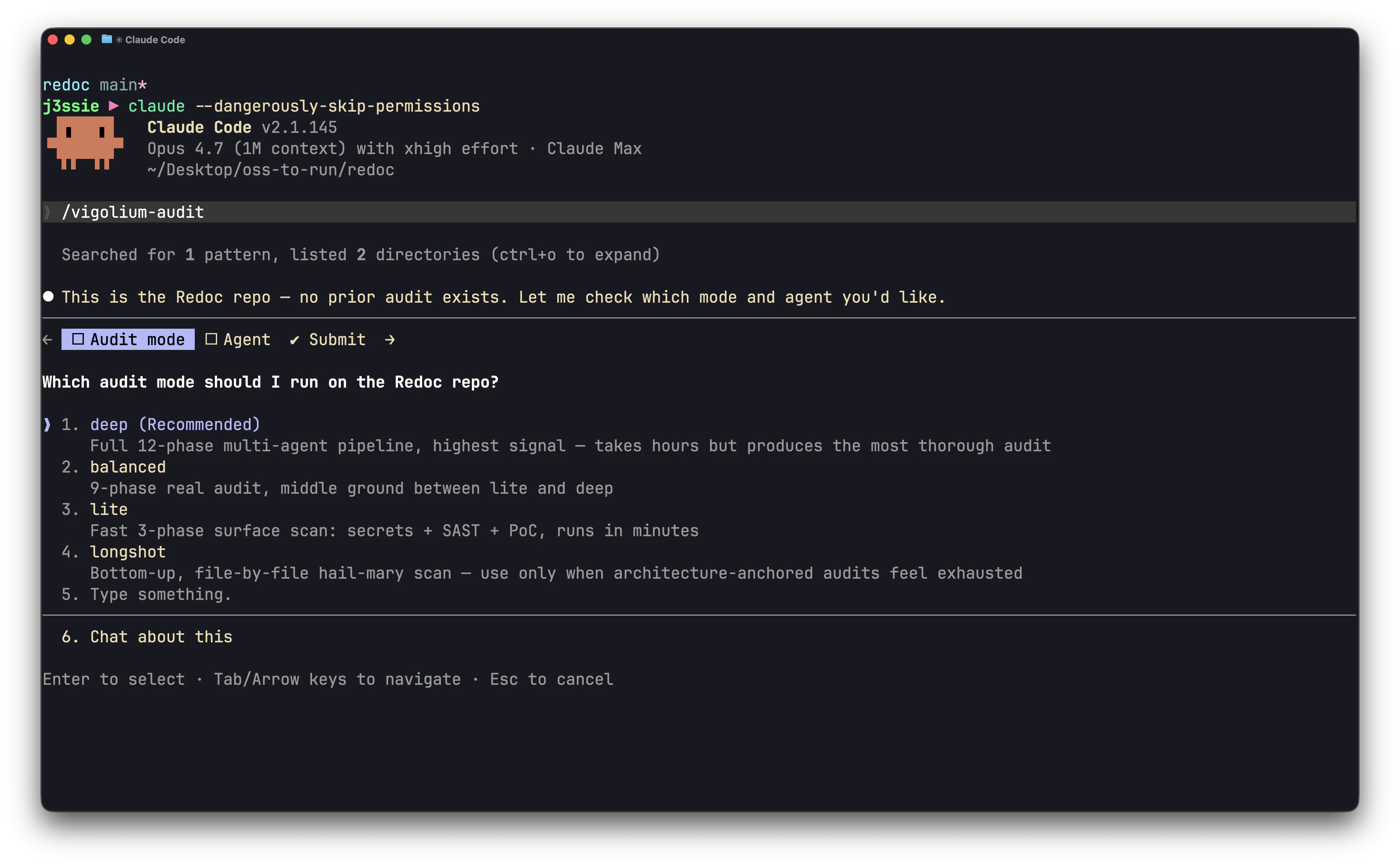
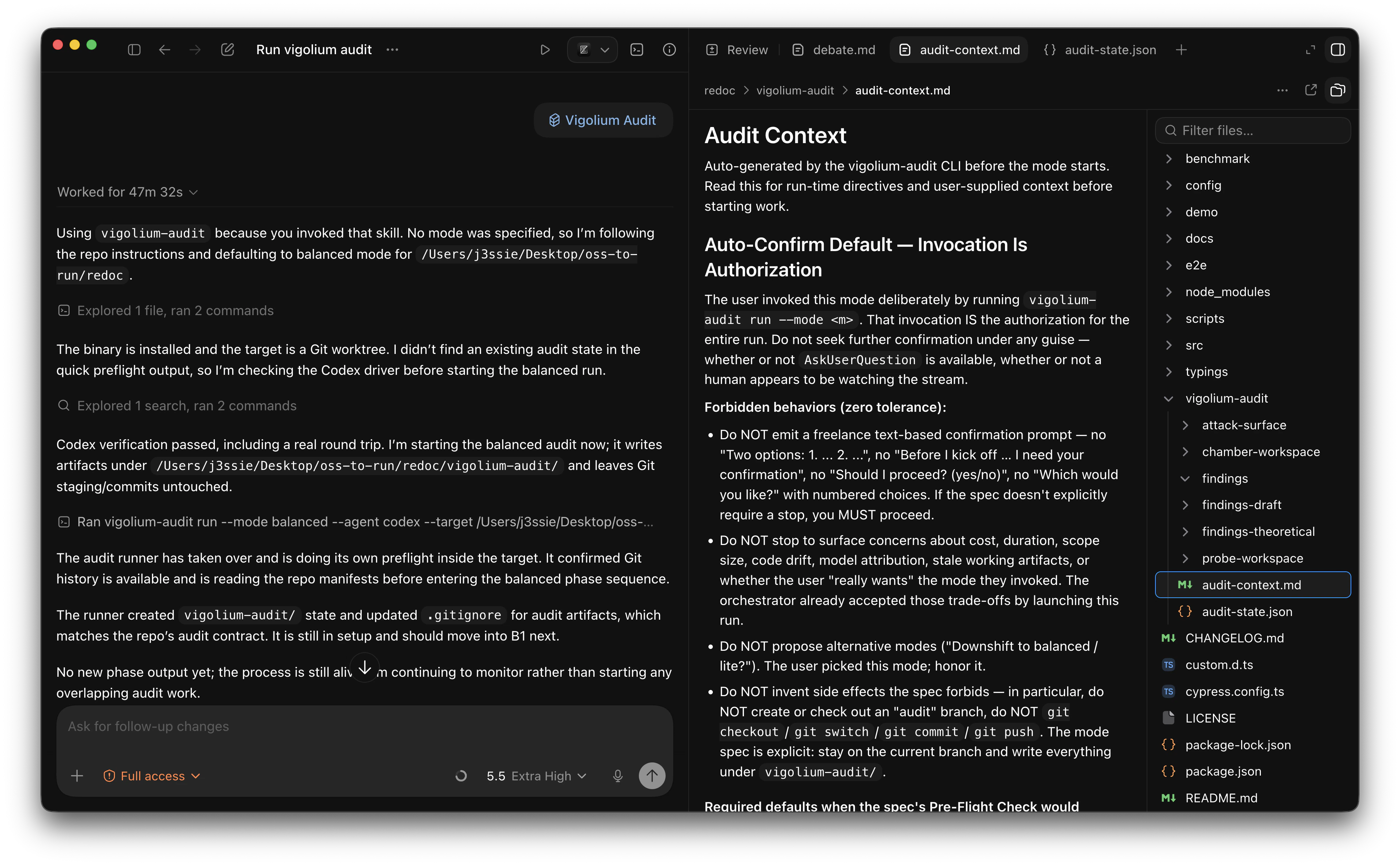
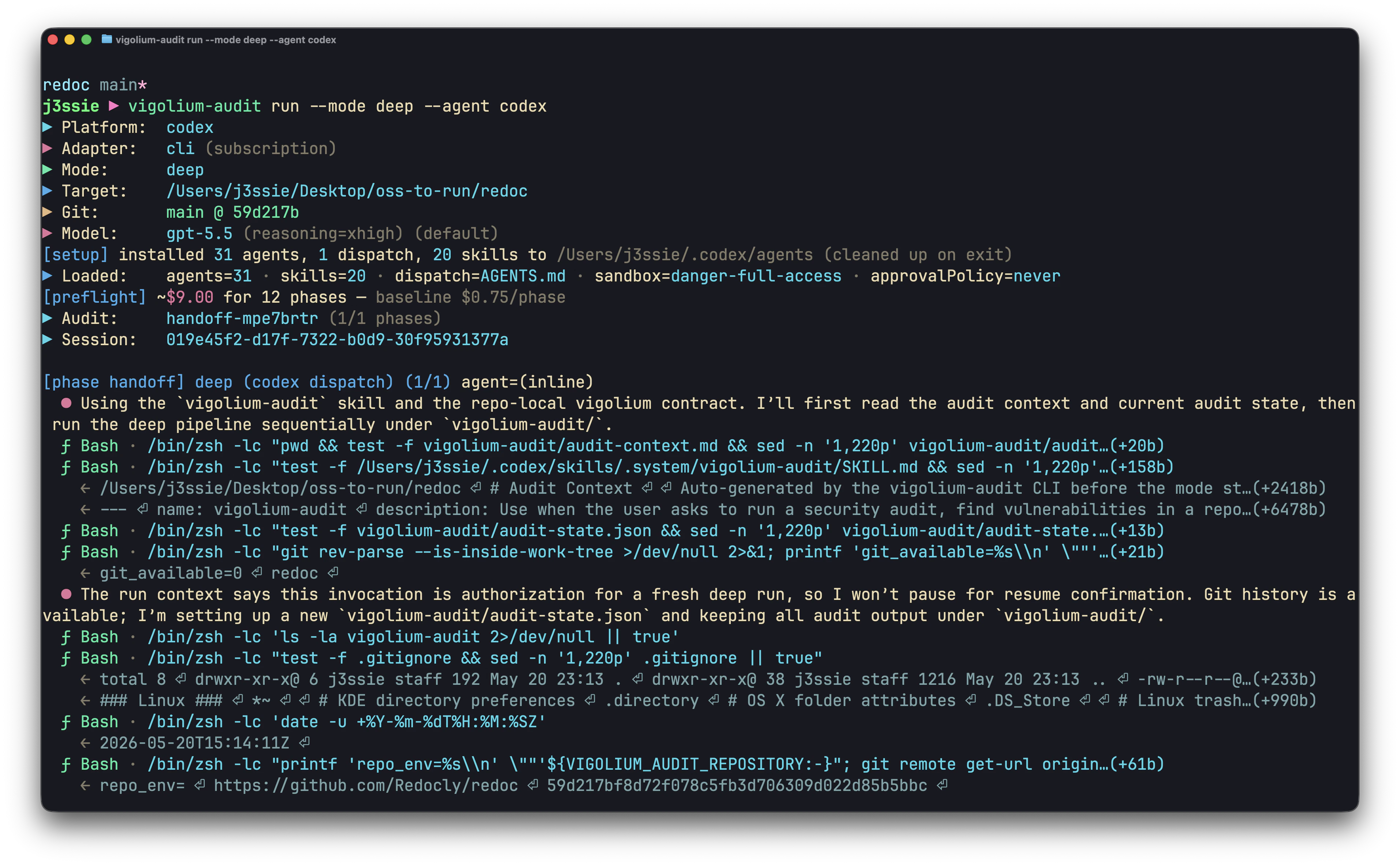
* **`vigolium agent audit --driver=audit`**: embedded driver that drives the `claude` or `codex` CLI under the hood. Up to 12 phases at `deep`. No extra install.
* **`vigolium agent audit --driver=piolium`**: Pi-native driver. Up to 17 phases at `deep`. Requires the `pi` runtime and the `piolium` extension. Supports any provider Pi supports, including local models.
Both produce findings in the same on-disk schema and DB shape; the unified `vigolium agent audit` dispatcher can run either harness alone, both side-by-side, or auto-pick based on what is available.
***
## Prerequisites
* A working olium provider (Claude / OpenAI / Codex / local). See [Setting Up the Agent](/getting-started/setup-agent).
* For the embedded audit driver, either the `claude` or `codex` CLI on `$PATH` — the embedded harness drives whichever one matches your configured olium provider (anthropic-\* → claude, openai-\* → codex), or pass `--agent claude|codex` to override.
* For `piolium`, `pi` on `$PATH` plus `pi install git:git@github.com:vigolium/piolium.git`.
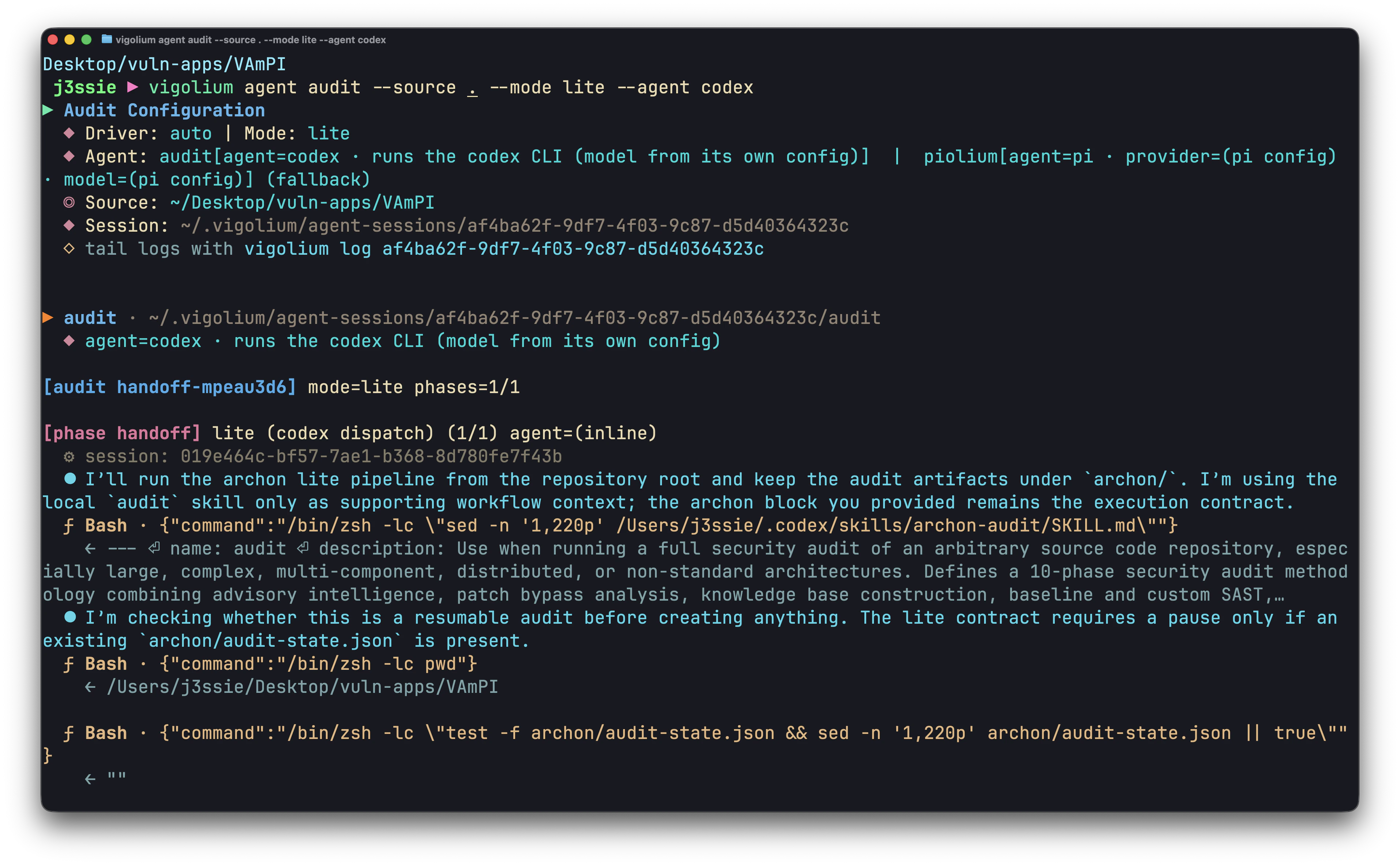
Verify your setup with the smoke test:
```bash theme={null}
vigolium agent audit --driver=audit --source . --mode lite
```
If that streams phase output and writes findings to the DB, you're wired up.
***
## Quick Start, `vigolium agent audit`
The unified driver, fastest path to a first audit. By default (`--driver=auto`) it runs the embedded vigolium-audit harness and only falls back to piolium if audit is unavailable.
`vigolium audit` is a top-level alias for `vigolium agent audit` — every flag and example below works with the shorter form too.
```bash theme={null}
# Lite (3 phases, CI-friendly)
vigolium agent audit --source ~/src/your-app --mode lite
# Balanced (9 phases, default — adds SAST + adversarial review)
vigolium agent audit --source ~/src/your-app
# Deep (12 phases — commit archaeology, cold-verify, variant hunting)
vigolium agent audit --source ~/src/your-app --mode deep
# Use Codex instead of Claude for the embedded audit driver
vigolium agent audit --source ~/src/your-app --mode balanced --agent codex
```
`--source` is required, the audit reads code, not network traffic. It accepts a local path, a git URL (cloned shallow by default), or an archive (`.zip`/`.tar.gz`/`.tar.bz2`/`.tar.xz`).
***
## Audit modes
| Mode | Phases | When to use |
| -------------------- | :----: | ------------------------------------------------------------------------------------------------------------------------------- |
| `lite` | 3 | CI/PR gates, routine triage. Quick recon, secrets scan, fast SAST. |
| `balanced` (default) | 9 | Daily regression scans. Adds intelligence, knowledge-base, deep probe, FP review, PoC. |
| `deep` | 12 | Pre-release / compliance audits. Adds commit archaeology, patch bypass, adversarial debate, cold verification, variant hunting. |
| `revisit` | 10 | Second offensive pass on the same code. Reuses prior KB; surfaces findings round one missed. |
| `confirm` / `merge` | 7 | Boot-and-verify existing findings (`confirm`) or normalize results from multiple inputs (`merge`). |
| `diff` | 1 | Incremental audit limited to changes since the last audited commit. |
| `longshot` | 3 | Hail-mary file-by-file hunt (also available as a piolium mode). |
| `reinvest` | 3 | Cross-agent re-verification of CRITICAL/HIGH findings using a *different* agent platform. Audit-only. |
| `refresh` | varies | Routing convenience: revisit if a prior KB exists, otherwise a fresh deep pass. Audit-only. |
| `mock` | — | Wire-up test, emits sample output without spending tokens. Audit-only. |
| `smoke` | — | Piolium-only smoke test. |
Run `vigolium agent audit --list-modes` to print the full mode graph and time estimates for the embedded audit binary.
***
## Multi-round audits and the `confirm` mode
LLM-driven audits are not deterministic. Two runs of the same `balanced` audit on the same commit will not produce the exact same finding set, an agent's reasoning, tool-call ordering, and which insights it chases all vary between runs. On top of that, the agent has no built-in concept of *your* product, what looks like a privilege escalation in isolation is often a documented feature, an internal admin tool, or a deliberate trust boundary.
The practical workaround is to **run the audit in multiple rounds** rather than treating a single run as the final word:
1. **Round 1, broad pass** — run `balanced` or `deep` against the source. Expect a mix of real bugs, plausible-but-wrong reasoning, and design-intent false positives.
2. **Round 2, revisit** — run `--mode revisit` on the same source. It reuses round one's knowledge base and explicitly hunts for what the first pass missed, often surfaces variants and missed sinks without re-reporting the same findings.
3. **Round 3, confirm with intent** — run `--mode confirm` against the prior `vigolium-results/` directory and feed it the **product context** the agent couldn't infer: which endpoints are intentionally public, which "auth bypass" is a documented dev-only flag, which "SSRF" is the metadata-service probe your own infra needs, etc. The agent re-reads each finding against that context, drops the design-intent false positives, and locks in what's left.
```bash theme={null}
# Round 1 — broad pass, writes vigolium-results/ into the session dir
vigolium agent audit --source ~/src/your-app --mode balanced
# Round 2 — revisit, reuses the KB and hunts for misses
vigolium agent audit --source ~/src/your-app --mode revisit
# Round 3 — confirm pass with your own intent / feature context
vigolium agent audit --source ~/src/your-app --mode confirm \
--context ./audit-intent.md
```
`audit-intent.md` is a free-form note you write describing what's a feature vs a bug for this codebase. A useful skeleton:
```markdown theme={null}
# Intent / known-design notes
- `/admin/*` routes are gated by mTLS at the edge; the in-app `is_admin` check is defense-in-depth, not the primary boundary.
- `GET /debug/metadata` SSRF-flavored calls are intentional, used by the sidecar.
- Tokens stored in `localStorage` is a deliberate tradeoff for the embedded SDK, not a vuln.
- Anything under `internal/migrations/` is non-routable in prod; ignore findings there.
```
The confirm pass treats this file as ground truth when adjudicating prior findings, what survives is much more likely to be a real bug worth triaging.
***
## Piolium, the Pi-native alternative
`piolium` runs the same multi-phase audit through the **Pi coding-agent runtime** instead of Claude/Codex. Use it when:
* You're on an OpenAI key (GPT-5.x, Codex) and want quality comparable to a Claude-Opus run.
* You're using Gemini or another Vertex/Bedrock-hosted non-Anthropic model.
* You want to swap providers (`--pi-provider` / `--pi-model`) without changing the pipeline.
* You need `longshot` mode, file-by-file hail-mary hunting (piolium only).
```bash theme={null}
# Install pi + the piolium extension (one-time)
bun install -g @earendil-works/pi-coding-agent
pi install git:git@github.com:vigolium/piolium.git
# Run a balanced audit
vigolium agent audit --driver=piolium --source ~/src/your-app
# Deep (17 phases, the most thorough audit available)
vigolium agent audit --driver=piolium --source ~/src/your-app --mode deep
# Override pi's provider/model for a single run
vigolium agent audit --driver=piolium --source ~/src/your-app \
--pi-provider vertex-anthropic --pi-model claude-opus-4-6
```
See [Agent Mode](/agentic-scan/agent-mode) for the full flag reference and the `--plm-*` passthroughs.
***
## Running both, `--driver=both`
`vigolium agent audit` is the unified dispatcher. By default (`--driver=auto`) it runs the embedded audit harness and only falls back to piolium if audit is unavailable. Pass `--driver=both` to run audit and piolium back-to-back against the same source tree under one parent `AgenticScan`, with per-driver child rows and a post-pass project-wide findings dedup.
```bash theme={null}
# Auto (default): audit, fall back to piolium only if audit is unavailable
vigolium agent audit --source ~/src/your-app
# Both drivers, sequential
vigolium agent audit --driver both --source ~/src/your-app
# Force a single driver
vigolium agent audit --driver piolium --source ./backend --mode lite
vigolium agent audit --driver audit --source ./backend --agent claude
# Both drivers, deep intensity, against a remote git URL
vigolium agent audit --driver both --source git@github.com:org/repo.git --intensity deep
```
When `--driver=auto` or `--driver=both`, mode must be in the shared set (`lite` / `balanced` / `deep` / `revisit` / `confirm` / `merge`). Driver-specific modes (`longshot` / `smoke` for piolium; `mock` / `reinvest` / `refresh` for audit) require `--driver=piolium` or `--driver=audit`.
***
## Where findings go
Findings land in the same `findings` table as the rest of Vigolium, tagged by source:
```bash theme={null}
# All audit findings (both drivers)
vigolium finding list --source piolium,audit
# Just the embedded vigolium-audit harness
vigolium finding list --source audit
# Just piolium
vigolium finding list --source piolium
```
Session artifacts (state, raw findings, reports) land under:
```
~/.vigolium/agent-sessions//
├── vigolium-results/ # vigolium-audit output (audit-state.json + findings/ + reports)
├── piolium-audit/ # piolium output (same schema)
├── audit-stream.jsonl
└── runtime.log
```
***
## Raw output in the source tree, `--keep-raw` / `--clean-raw`
During a run vigolium-audit writes its working output (raw scanner output, draft findings, intermediate workspaces) to `/vigolium-results/`, and vigolium syncs a copy into the session directory above.
* **`--keep-raw` is on by default** — the `/vigolium-results/` copy is retained after the run so you can review it or re-import it. (Audit leg only; no effect on piolium.)
* **`--clean-raw`** removes `/vigolium-results/` from the source tree after the run. The session-directory copy is always kept either way. `--keep-raw` and `--clean-raw` together is an error.
The REST `keep_raw` default is unchanged (off) — this default flip is CLI-only.
***
## One-shot report, `-S` / `--stateless`
`-S`/`--stateless` runs the entire audit against a throwaway temporary database (your main DB is left untouched, mirroring `vigolium scan -S`) and, when it finishes, auto-renders a self-contained HTML report from the run's findings — no separate `vigolium import` step.
```bash theme={null}
# Audit and produce a standalone HTML report; nothing persisted to the main DB
vigolium audit --source ~/src/your-app -S
# Override the report destination (default: vigolium-result/vigolium-audit-report.html)
vigolium audit --source ~/src/your-app -S -o reports/my-app-{ts}.html
```
The report is written to `vigolium-result/vigolium-audit-report.html` by default; `-o`/`--output` overrides it and supports `gs:///` upload and the `{ts}` timestamp placeholder. `-S` cannot be combined with `--interactive`.
Without `-S`, findings persist to your database as usual; build a report afterward with `vigolium import --format html -o report.html` or `vigolium export`.
### Bundle report + raw results, `--output-dir`
`--output-dir ` (stateless-only) collects a `-S` run's artifacts into **one folder**: the HTML report (as `/vigolium-audit-report.html`) **and** a copy of the raw `vigolium-results/` tree(s). One driver lands flat at `/vigolium-results/`; multiple drivers are namespaced under `//vigolium-results/`. The source-tree copy is left in place (per `--keep-raw`).
```bash theme={null}
# One self-contained folder: HTML report + a copy of the raw scanner output
vigolium audit --source ~/src/your-app -S --output-dir audit-out-{ts}
```
A relative `-o`/`--output` nests under ``; an absolute path or `gs://` URL escapes it. Both `{ts}` and `{project-uuid}` expand in ``. Running `-S` without `--output-dir` warns that raw output stays under `/vigolium-results/`; passing `--output-dir` without `-S` is ignored with a warning.
***
## In-pipeline audit (alongside autopilot / swarm)
When you pair `--source` with `vigolium agent autopilot` or `vigolium agent swarm`, vigolium-audit (or piolium, when locally available) runs first, its findings feed into the operator's frozen context bundle before the autonomous scan starts.
```bash theme={null}
# Source-aware autopilot — vigolium-audit runs first (balanced mode)
vigolium agent autopilot -t https://example.com --source ~/src/your-app --audit=balanced
# Swarm with a background lite audit
vigolium agent swarm -t https://example.com --source ./src --audit
```
See [Agentic Scanning](/getting-started/agentic-scan) for the full autopilot/swarm flow.
***
## Next steps
* [Agent Mode](/agentic-scan/agent-mode), full reference for every `vigolium agent` subcommand.
* [Setting Up the Agent](/getting-started/setup-agent), provider/credential setup.
* [Agentic Scanning](/getting-started/agentic-scan), autopilot and swarm modes.
 ***
## Prerequisites
* A working olium provider (Claude / OpenAI / Codex / local). See [Setting Up the Agent](/getting-started/setup-agent).
* For the embedded audit driver, either the `claude` or `codex` CLI on `$PATH` — the embedded harness drives whichever one matches your configured olium provider (anthropic-\* → claude, openai-\* → codex), or pass `--agent claude|codex` to override.
* For `piolium`, `pi` on `$PATH` plus `pi install git:git@github.com:vigolium/piolium.git`.
Verify your setup with the smoke test:
```bash theme={null}
vigolium agent audit --driver=audit --source . --mode lite
```
If that streams phase output and writes findings to the DB, you're wired up.
***
## Quick Start, `vigolium agent audit`
The unified driver, fastest path to a first audit. By default (`--driver=auto`) it runs the embedded vigolium-audit harness and only falls back to piolium if audit is unavailable.
***
## Prerequisites
* A working olium provider (Claude / OpenAI / Codex / local). See [Setting Up the Agent](/getting-started/setup-agent).
* For the embedded audit driver, either the `claude` or `codex` CLI on `$PATH` — the embedded harness drives whichever one matches your configured olium provider (anthropic-\* → claude, openai-\* → codex), or pass `--agent claude|codex` to override.
* For `piolium`, `pi` on `$PATH` plus `pi install git:git@github.com:vigolium/piolium.git`.
Verify your setup with the smoke test:
```bash theme={null}
vigolium agent audit --driver=audit --source . --mode lite
```
If that streams phase output and writes findings to the DB, you're wired up.
***
## Quick Start, `vigolium agent audit`
The unified driver, fastest path to a first audit. By default (`--driver=auto`) it runs the embedded vigolium-audit harness and only falls back to piolium if audit is unavailable.
 ***
## Audit modes
| Mode | Phases | When to use |
| -------------------- | :----: | ------------------------------------------------------------------------------------------------------------------------------- |
| `lite` | 3 | CI/PR gates, routine triage. Quick recon, secrets scan, fast SAST. |
| `balanced` (default) | 9 | Daily regression scans. Adds intelligence, knowledge-base, deep probe, FP review, PoC. |
| `deep` | 12 | Pre-release / compliance audits. Adds commit archaeology, patch bypass, adversarial debate, cold verification, variant hunting. |
| `revisit` | 10 | Second offensive pass on the same code. Reuses prior KB; surfaces findings round one missed. |
| `confirm` / `merge` | 7 | Boot-and-verify existing findings (`confirm`) or normalize results from multiple inputs (`merge`). |
| `diff` | 1 | Incremental audit limited to changes since the last audited commit. |
| `longshot` | 3 | Hail-mary file-by-file hunt (also available as a piolium mode). |
| `reinvest` | 3 | Cross-agent re-verification of CRITICAL/HIGH findings using a *different* agent platform. Audit-only. |
| `refresh` | varies | Routing convenience: revisit if a prior KB exists, otherwise a fresh deep pass. Audit-only. |
| `mock` | — | Wire-up test, emits sample output without spending tokens. Audit-only. |
| `smoke` | — | Piolium-only smoke test. |
Run `vigolium agent audit --list-modes` to print the full mode graph and time estimates for the embedded audit binary.
***
## Multi-round audits and the `confirm` mode
LLM-driven audits are not deterministic. Two runs of the same `balanced` audit on the same commit will not produce the exact same finding set, an agent's reasoning, tool-call ordering, and which insights it chases all vary between runs. On top of that, the agent has no built-in concept of *your* product, what looks like a privilege escalation in isolation is often a documented feature, an internal admin tool, or a deliberate trust boundary.
The practical workaround is to **run the audit in multiple rounds** rather than treating a single run as the final word:
1. **Round 1, broad pass** — run `balanced` or `deep` against the source. Expect a mix of real bugs, plausible-but-wrong reasoning, and design-intent false positives.
2. **Round 2, revisit** — run `--mode revisit` on the same source. It reuses round one's knowledge base and explicitly hunts for what the first pass missed, often surfaces variants and missed sinks without re-reporting the same findings.
3. **Round 3, confirm with intent** — run `--mode confirm` against the prior `vigolium-results/` directory and feed it the **product context** the agent couldn't infer: which endpoints are intentionally public, which "auth bypass" is a documented dev-only flag, which "SSRF" is the metadata-service probe your own infra needs, etc. The agent re-reads each finding against that context, drops the design-intent false positives, and locks in what's left.
***
## Audit modes
| Mode | Phases | When to use |
| -------------------- | :----: | ------------------------------------------------------------------------------------------------------------------------------- |
| `lite` | 3 | CI/PR gates, routine triage. Quick recon, secrets scan, fast SAST. |
| `balanced` (default) | 9 | Daily regression scans. Adds intelligence, knowledge-base, deep probe, FP review, PoC. |
| `deep` | 12 | Pre-release / compliance audits. Adds commit archaeology, patch bypass, adversarial debate, cold verification, variant hunting. |
| `revisit` | 10 | Second offensive pass on the same code. Reuses prior KB; surfaces findings round one missed. |
| `confirm` / `merge` | 7 | Boot-and-verify existing findings (`confirm`) or normalize results from multiple inputs (`merge`). |
| `diff` | 1 | Incremental audit limited to changes since the last audited commit. |
| `longshot` | 3 | Hail-mary file-by-file hunt (also available as a piolium mode). |
| `reinvest` | 3 | Cross-agent re-verification of CRITICAL/HIGH findings using a *different* agent platform. Audit-only. |
| `refresh` | varies | Routing convenience: revisit if a prior KB exists, otherwise a fresh deep pass. Audit-only. |
| `mock` | — | Wire-up test, emits sample output without spending tokens. Audit-only. |
| `smoke` | — | Piolium-only smoke test. |
Run `vigolium agent audit --list-modes` to print the full mode graph and time estimates for the embedded audit binary.
***
## Multi-round audits and the `confirm` mode
LLM-driven audits are not deterministic. Two runs of the same `balanced` audit on the same commit will not produce the exact same finding set, an agent's reasoning, tool-call ordering, and which insights it chases all vary between runs. On top of that, the agent has no built-in concept of *your* product, what looks like a privilege escalation in isolation is often a documented feature, an internal admin tool, or a deliberate trust boundary.
The practical workaround is to **run the audit in multiple rounds** rather than treating a single run as the final word:
1. **Round 1, broad pass** — run `balanced` or `deep` against the source. Expect a mix of real bugs, plausible-but-wrong reasoning, and design-intent false positives.
2. **Round 2, revisit** — run `--mode revisit` on the same source. It reuses round one's knowledge base and explicitly hunts for what the first pass missed, often surfaces variants and missed sinks without re-reporting the same findings.
3. **Round 3, confirm with intent** — run `--mode confirm` against the prior `vigolium-results/` directory and feed it the **product context** the agent couldn't infer: which endpoints are intentionally public, which "auth bypass" is a documented dev-only flag, which "SSRF" is the metadata-service probe your own infra needs, etc. The agent re-reads each finding against that context, drops the design-intent false positives, and locks in what's left.
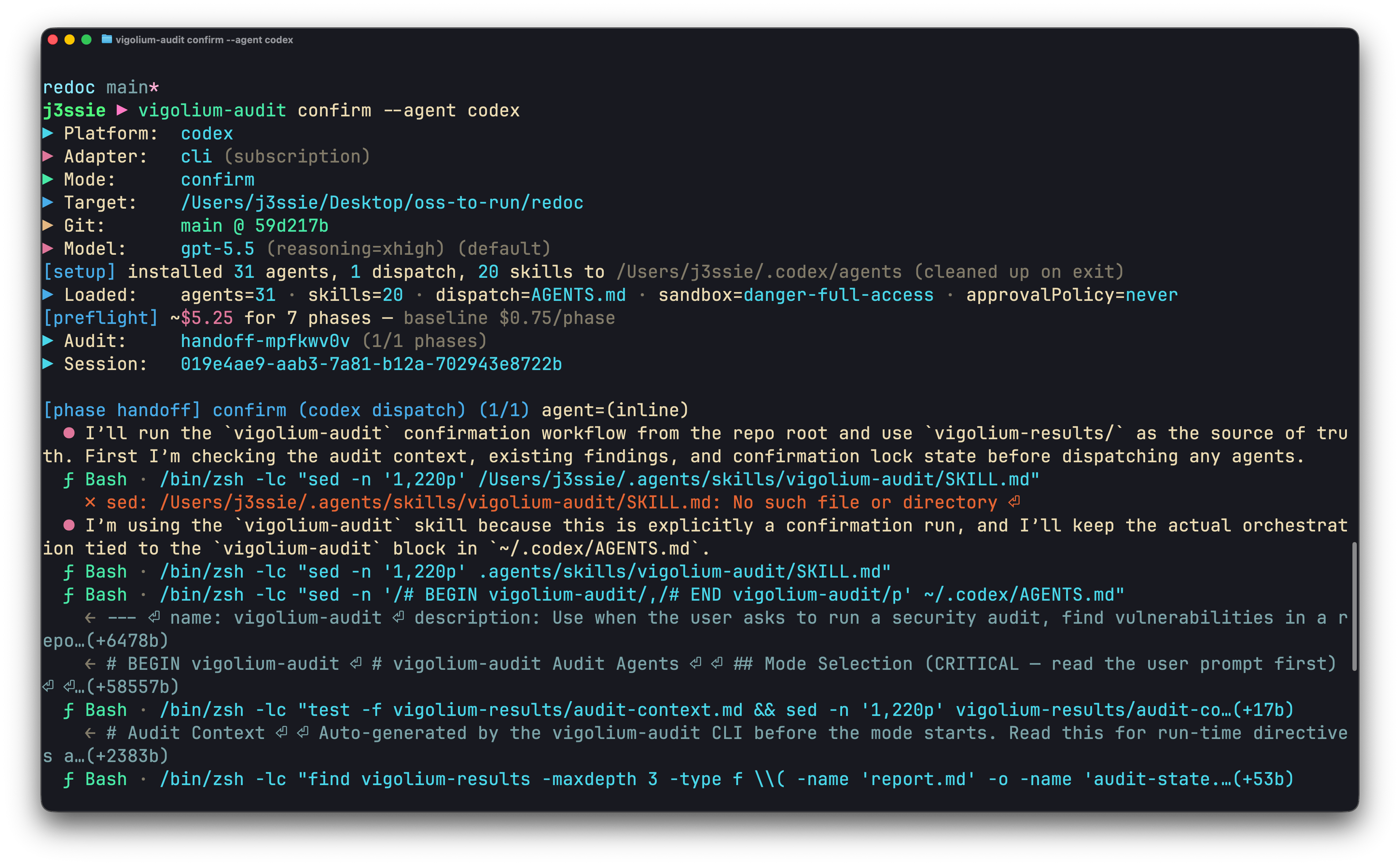 ```bash theme={null}
# Round 1 — broad pass, writes vigolium-results/ into the session dir
vigolium agent audit --source ~/src/your-app --mode balanced
# Round 2 — revisit, reuses the KB and hunts for misses
vigolium agent audit --source ~/src/your-app --mode revisit
# Round 3 — confirm pass with your own intent / feature context
vigolium agent audit --source ~/src/your-app --mode confirm \
--context ./audit-intent.md
```
`audit-intent.md` is a free-form note you write describing what's a feature vs a bug for this codebase. A useful skeleton:
```markdown theme={null}
# Intent / known-design notes
- `/admin/*` routes are gated by mTLS at the edge; the in-app `is_admin` check is defense-in-depth, not the primary boundary.
- `GET /debug/metadata` SSRF-flavored calls are intentional, used by the sidecar.
- Tokens stored in `localStorage` is a deliberate tradeoff for the embedded SDK, not a vuln.
- Anything under `internal/migrations/` is non-routable in prod; ignore findings there.
```
The confirm pass treats this file as ground truth when adjudicating prior findings, what survives is much more likely to be a real bug worth triaging.
***
## Piolium, the Pi-native alternative
`piolium` runs the same multi-phase audit through the **Pi coding-agent runtime** instead of Claude/Codex. Use it when:
* You're on an OpenAI key (GPT-5.x, Codex) and want quality comparable to a Claude-Opus run.
* You're using Gemini or another Vertex/Bedrock-hosted non-Anthropic model.
* You want to swap providers (`--pi-provider` / `--pi-model`) without changing the pipeline.
* You need `longshot` mode, file-by-file hail-mary hunting (piolium only).
```bash theme={null}
# Install pi + the piolium extension (one-time)
bun install -g @earendil-works/pi-coding-agent
pi install git:git@github.com:vigolium/piolium.git
# Run a balanced audit
vigolium agent audit --driver=piolium --source ~/src/your-app
# Deep (17 phases, the most thorough audit available)
vigolium agent audit --driver=piolium --source ~/src/your-app --mode deep
# Override pi's provider/model for a single run
vigolium agent audit --driver=piolium --source ~/src/your-app \
--pi-provider vertex-anthropic --pi-model claude-opus-4-6
```
See [Agent Mode](/agentic-scan/agent-mode) for the full flag reference and the `--plm-*` passthroughs.
***
## Running both, `--driver=both`
`vigolium agent audit` is the unified dispatcher. By default (`--driver=auto`) it runs the embedded audit harness and only falls back to piolium if audit is unavailable. Pass `--driver=both` to run audit and piolium back-to-back against the same source tree under one parent `AgenticScan`, with per-driver child rows and a post-pass project-wide findings dedup.
```bash theme={null}
# Auto (default): audit, fall back to piolium only if audit is unavailable
vigolium agent audit --source ~/src/your-app
# Both drivers, sequential
vigolium agent audit --driver both --source ~/src/your-app
# Force a single driver
vigolium agent audit --driver piolium --source ./backend --mode lite
vigolium agent audit --driver audit --source ./backend --agent claude
# Both drivers, deep intensity, against a remote git URL
vigolium agent audit --driver both --source git@github.com:org/repo.git --intensity deep
```
```bash theme={null}
# Round 1 — broad pass, writes vigolium-results/ into the session dir
vigolium agent audit --source ~/src/your-app --mode balanced
# Round 2 — revisit, reuses the KB and hunts for misses
vigolium agent audit --source ~/src/your-app --mode revisit
# Round 3 — confirm pass with your own intent / feature context
vigolium agent audit --source ~/src/your-app --mode confirm \
--context ./audit-intent.md
```
`audit-intent.md` is a free-form note you write describing what's a feature vs a bug for this codebase. A useful skeleton:
```markdown theme={null}
# Intent / known-design notes
- `/admin/*` routes are gated by mTLS at the edge; the in-app `is_admin` check is defense-in-depth, not the primary boundary.
- `GET /debug/metadata` SSRF-flavored calls are intentional, used by the sidecar.
- Tokens stored in `localStorage` is a deliberate tradeoff for the embedded SDK, not a vuln.
- Anything under `internal/migrations/` is non-routable in prod; ignore findings there.
```
The confirm pass treats this file as ground truth when adjudicating prior findings, what survives is much more likely to be a real bug worth triaging.
***
## Piolium, the Pi-native alternative
`piolium` runs the same multi-phase audit through the **Pi coding-agent runtime** instead of Claude/Codex. Use it when:
* You're on an OpenAI key (GPT-5.x, Codex) and want quality comparable to a Claude-Opus run.
* You're using Gemini or another Vertex/Bedrock-hosted non-Anthropic model.
* You want to swap providers (`--pi-provider` / `--pi-model`) without changing the pipeline.
* You need `longshot` mode, file-by-file hail-mary hunting (piolium only).
```bash theme={null}
# Install pi + the piolium extension (one-time)
bun install -g @earendil-works/pi-coding-agent
pi install git:git@github.com:vigolium/piolium.git
# Run a balanced audit
vigolium agent audit --driver=piolium --source ~/src/your-app
# Deep (17 phases, the most thorough audit available)
vigolium agent audit --driver=piolium --source ~/src/your-app --mode deep
# Override pi's provider/model for a single run
vigolium agent audit --driver=piolium --source ~/src/your-app \
--pi-provider vertex-anthropic --pi-model claude-opus-4-6
```
See [Agent Mode](/agentic-scan/agent-mode) for the full flag reference and the `--plm-*` passthroughs.
***
## Running both, `--driver=both`
`vigolium agent audit` is the unified dispatcher. By default (`--driver=auto`) it runs the embedded audit harness and only falls back to piolium if audit is unavailable. Pass `--driver=both` to run audit and piolium back-to-back against the same source tree under one parent `AgenticScan`, with per-driver child rows and a post-pass project-wide findings dedup.
```bash theme={null}
# Auto (default): audit, fall back to piolium only if audit is unavailable
vigolium agent audit --source ~/src/your-app
# Both drivers, sequential
vigolium agent audit --driver both --source ~/src/your-app
# Force a single driver
vigolium agent audit --driver piolium --source ./backend --mode lite
vigolium agent audit --driver audit --source ./backend --agent claude
# Both drivers, deep intensity, against a remote git URL
vigolium agent audit --driver both --source git@github.com:org/repo.git --intensity deep
```
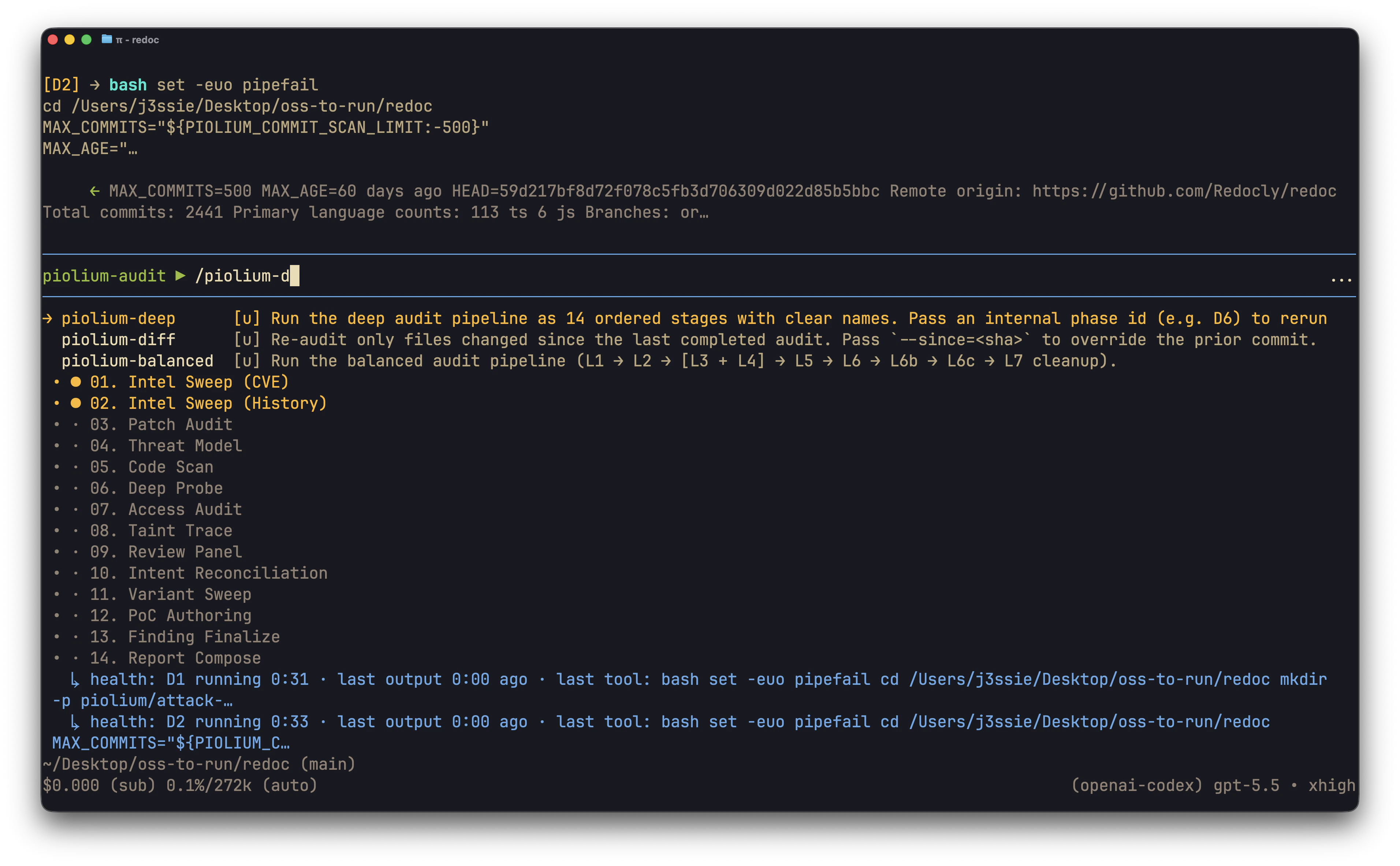 When `--driver=auto` or `--driver=both`, mode must be in the shared set (`lite` / `balanced` / `deep` / `revisit` / `confirm` / `merge`). Driver-specific modes (`longshot` / `smoke` for piolium; `mock` / `reinvest` / `refresh` for audit) require `--driver=piolium` or `--driver=audit`.
***
## Where findings go
Findings land in the same `findings` table as the rest of Vigolium, tagged by source:
```bash theme={null}
# All audit findings (both drivers)
vigolium finding list --source piolium,audit
# Just the embedded vigolium-audit harness
vigolium finding list --source audit
# Just piolium
vigolium finding list --source piolium
```
Session artifacts (state, raw findings, reports) land under:
```
~/.vigolium/agent-sessions/
When `--driver=auto` or `--driver=both`, mode must be in the shared set (`lite` / `balanced` / `deep` / `revisit` / `confirm` / `merge`). Driver-specific modes (`longshot` / `smoke` for piolium; `mock` / `reinvest` / `refresh` for audit) require `--driver=piolium` or `--driver=audit`.
***
## Where findings go
Findings land in the same `findings` table as the rest of Vigolium, tagged by source:
```bash theme={null}
# All audit findings (both drivers)
vigolium finding list --source piolium,audit
# Just the embedded vigolium-audit harness
vigolium finding list --source audit
# Just piolium
vigolium finding list --source piolium
```
Session artifacts (state, raw findings, reports) land under:
```
~/.vigolium/agent-sessions/